10 Best Cal.com Alternatives and Competitors in 2026
 Shifat Jaman
51 minutes read
Shifat Jaman
51 minutes read 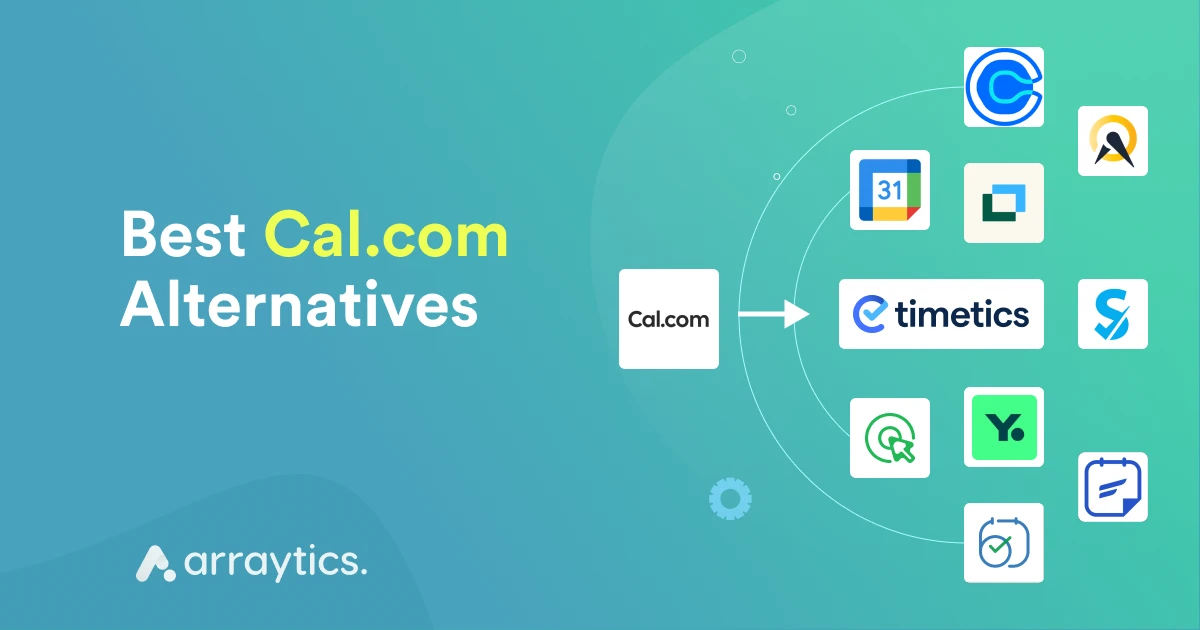
Cal.com is one of the popular online scheduling tools. It’s well-known for the features and options that it offers to make appointment scheduling easier and better.
But is it the right match for all user base? Well, depending on the needs and requirements, some users find it complex to set up, or affordability could be an issue.
That’s why many users look for Cal.com alternatives that are easier to use or fit a broader range of workflows.
In this guide, you will find the best Cal.com alternatives simply and clearly. We compare top Cal.com competitors, including popular choices like Calendly, YouCanBookMe, and WPTimetics, show where they differ, and help you pick the right tool for your needs.
Quick comparison table: Cal.com vs Competitors
| Tool | Starting Price | Best Use Case | Key Strength vs Cal.com |
|---|---|---|---|
| WPTimetics | Free Pro from $6.5/month | WordPress bookings | Smooth setup inside WordPress, better for coaches, classes, and service sessions |
| YouCanBookMe | Free Pro from $6.5/month | Team scheduling | Simple team scheduling without technical setup |
| Calendly | Free Paid from $10/month | 1-to-1 meetings | Faster setup and cleaner interface |
| Doodle | Free Paid from $6.95/month | Group polls | Better for group time coordination |
| Booktics | Free Pro from $6.5/month | Multi-step service bookings | Easy multi-step booking forms that Cal.com does not offer |
| Acuity Scheduling | Paid from $20/month | Service businesses | Strong booking and payment features |
| Google Calendar | Free | Basic scheduling | No cost, good for simple scheduling |
| FluentBooking | Free Pro from $6.5/month | WordPress meetings | Native WordPress workflow without coding |
| Zoho Bookings | Paid from $6/month | CRM-driven teams | Deep Zoho ecosystem integration |
| SimplyBook.me | Paid from $9.90/month | Service businesses | Custom booking pages and widgets |
Why look for a Cal.com alternative?
Cal.com is a flexible online booking tool, but it does not fit every workflow. Many users look for alternatives when they need something easier to set up or more focused on their type of business. Here are the common reasons people switch.
- The setup feels complex: Cal.com can feel technical, especially if you do not want to manage servers, APIs, or custom settings.
- Limited options for service businesses: Coaches, salons, consultants, and fitness trainers often need features like multi-step booking, staff management, custom time slots, and location-based booking. Cal.com does not cover these needs well.
- Not ideal for WordPress sites: Many WordPress users want a tool that works inside their dashboard. They look for a Cal.com alternative for WordPress because they want a simple setup and direct calendar control.
- Team scheduling can feel heavy: Some users want faster team booking without dealing with self-hosting or technical steps.
- Fewer pre-built templates: Cal.com requires more customization. Tools like WP Timetics, Booktics, and Calendly offer simpler templates to get started right away.
- Better options exist for specific industries: If you run events, classes, workshops, or service sessions, there are tools that match these needs better.
Read also:
Best WordPress Booking Plugins — compare top booking and appointment plugins for WordPress, including free and premium options.
How we selected the top alternatives to Cal.com
To make this list useful, each scheduling tool was reviewed using simple and practical criteria. These points help you compare options based on real-world needs instead of long feature lists.
- Ease of use: You should be able to set up your booking system without learning complex tools or writing code.
- Price and value: We checked which tools offer a fair starting price, strong free plans, or lower overall cost than Cal.com.
- Booking flexibility: This includes support for one-to-one meetings, sessions, classes, service bookings, recurring sessions, and staff or team scheduling
- WordPress compatibility: Since many users want a Cal.com alternative for WordPress, plugins like WP Timetics and Booktics were evaluated closely.
- Payment support: Some tools only handle scheduling. Others allow paid sessions, cancellations, or automatic follow-ups.
- User reviews and reliability: We included tools with stable performance, trusted support, and clear development history.
- Best use cases: Every tool fits a different workflow. We focused on the options that serve actual needs rather than generic features.
10 Top Cal.com alternatives in 2026
Let’s explore the best alternatives to Cal.com for WordPress schedule management.
1. WPTimetics
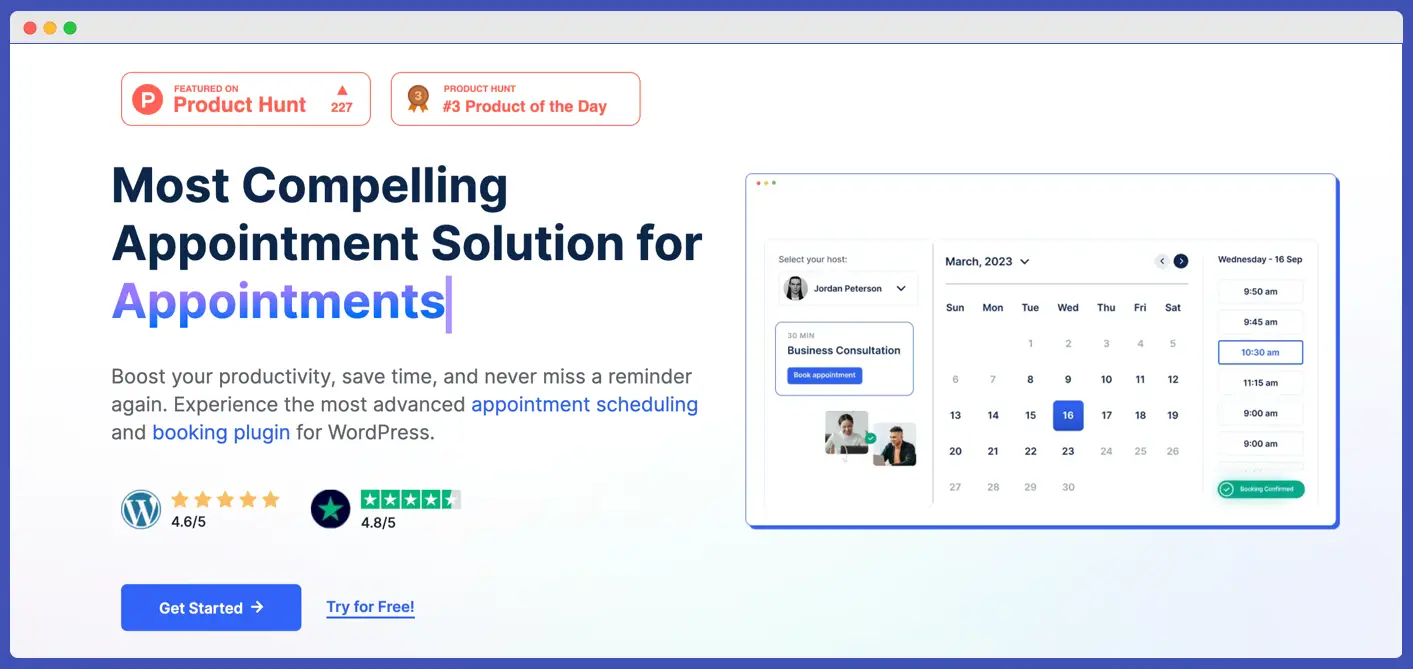
WPTimetics is a clean and simple Cal.com alternatives for WordPress users. It fits coaches, consultants, trainers, agencies, and anyone who wants a smooth booking flow on their website. You can create a booking calendar, set time slots, run one-to-one sessions, manage team schedules, and automate reminders without leaving WordPress.
Unlike Cal.com, WPTimetics needs no technical setup. You install it, set your availability, connect your meeting links, and start taking bookings right away.
If your main priority is a direct scheduling tool for WordPress users, this is one of the best Cal.com alternatives you can pick.
Key Features
- Visual booking calendar
- One-to-one and group bookings
- Custom time slots and availability
- Google Meet and Zoom integration
- Buffer time and break control
- Simple staff or team scheduling
- Automatic confirmation emails
- Works smoothly with any WordPress theme
Pricing
$6.5/month
Compared to Cal.com
- Easier setup for beginners
- Works directly inside WordPress
- No complex hosting or API steps
- Better for coaching, classes, and service sessions
- Cal.com is more technical, while Timetics is more user-friendly
Read also:
WP Timetics vs Amelia — compare two powerful appointment booking plugins and see which one fits your WordPress site best.
2. YouCanBookMe
YouCanBookMe is a scheduling tool known for its clean setup and strong team features. It connects easily with Google Calendar and Outlook, which makes it suitable for support teams, sales teams, and remote groups that need shared availability.
Unlike Cal.com, it focuses on simple booking links instead of deep technical control. It is easy to use, works well for quick meeting scheduling, and is a strong fit if you want something that feels lighter than Cal.com.
Key features
- Team availability management
- Google and Outlook calendar sync
- Custom booking pages
- Automatic reminders
- Time-zone support
- Simple workflow automation
Pricing
$9/month
Compared to Cal.com
- Faster to set up
- Less technical
- Fewer advanced workflows, but easier for teams
- Better calendar sync for day-to-day meetings
- Not ideal for service businesses or multi-step bookings
3. Calendly
Calendly is one of the most well-known scheduling tools, also popular as a top alternative to Cal.com. It focuses on fast meeting booking, clean calendar links, and easy setup. Many users choose it because it removes back-and-forth messaging and offers a simple interface that works for both individuals and teams.
Compared to Cal.com, Calendly is much easier for beginners and does not require any technical setup. You can create booking pages, set your availability, connect your calendars, and start sharing your links in a few minutes.
Key Features
- One-to-one and group meetings
- Calendar sync with Google, Outlook, and Apple
- Automatic reminders and follow-ups
- Time-zone detection
- Team round-robin booking
- Custom availability rules
Pricing
$10/month
Compared to Cal.com
- Easier and faster to set up
- More user-friendly for casual and business users
- Less flexible than Cal.com for developers
- Not ideal for advanced service booking or multi-step flows
4. Doodle
Doodle is a popular Cal.com alternative for group scheduling and meeting polls. Instead of sharing a fixed time, you can create a poll and let participants choose the slot that works for them. This makes Doodle different from Cal.com, which focuses more on traditional booking links.
If you run workshops, team meetings, or events where people need to vote on the best time, Doodle is one of the easiest tools to use.
Key features
- Poll-based scheduling
- Group availability tracking
- One-to-one meetings
- Calendar sync
- Automatic reminders
- Works without creating an account
Pricing
$6.95/month
Compared to Cal.com
- Better for groups that need to pick a standard time
- Faster setup for polls
- Not ideal for service bookings
- Lighter and simpler interface
- Less suited for recurring sessions or staff scheduling
5. Booktics
Booktics is another best Cal.com made for service-based businesses that need a smooth, multi-step booking process inside WordPress. It works well for salons, spas, clinics, photographers, fitness trainers, and any business that wants a complete appointment flow with staff, services, and scheduling in one place.
Unlike Cal.com, Booktics gives you a guided booking form where customers choose their service, select a staff member, pick a schedule, and confirm their details in a clean step-by-step layout. This helps reduce booking mistakes and gives a clear user journey.
Key features
- Multi-step service booking
- Staff profiles with custom schedules
- Service-specific time slots
- Google Calendar sync
- Offline and online payment support
- Email notifications for clients and staff
- Clean booking dashboard inside WordPress
- Appointment history and customer details
Pricing
$6.5/month
Compared to Cal.com
- Cal.com does not offer multi-step booking
- Booktics gives a more guided and structured customer flow
- Easier for service businesses
- Works inside WordPress without outside platforms
- Better for staff-based scheduling
6. Acuity Scheduling
Acuity Scheduling is a strong choice for service-based businesses that need more control over appointments. It offers custom booking forms, intake questions, payment support, and detailed scheduling rules.
Many companies use it for classes, client sessions, and in-person services. Compared to Cal.com, Acuity focuses more on complete appointment management rather than meeting links. It also handles payments and forms in a more structured way.
Key features
- Custom booking forms
- Payments through Stripe, PayPal, and Square
- Intake questions for clients
- Class and group session support
- Staff scheduling
- Calendar sync with Google, Apple, and Outlook
- Email and text reminders
Pricing
$20/month
Compared to Cal.com
- More complete for service businesses
- Built-in payment support
- Stronger appointment forms
- Not as flexible for technical customization
- No WordPress-native setup
7. Google Calendar
Google Calendar is the simplest option on this list. You can create events, share availability, send invites, and set quick meetings with almost no setup. It is not a complete booking system like Cal.com, but it works well if you only need basic scheduling for personal or small team use.
Since it is already connected to Gmail and Google Workspace, many people use it as a free alternative when they do not need a complex tool.
Key features
- Event creation and sharing
- Google Meet integration
- Simple reminders and notifications
- Time-zone support
- Shared calendars for teams
- Works on all devices
Pricing
Free
Compared to Cal.com
- Much simpler
- No booking pages or forms
- No automation workflows
- Ideal for basic scheduling
- Not designed for service bookings or staff management
8. FluentBooking
FluentBooking is a booking plugin made for WordPress users who want an easy way to collect meetings and manage availability. It connects smoothly with Google Calendar and popular email tools. Many people choose it because the setup is simple and the interface feels familiar if you already use other Fluent products.
Compared to Cal.com, FluentBooking stays inside WordPress, so you do not have to manage outside dashboards or technical setup.
Key features
- Booking pages inside WordPress
- Google Calendar sync
- Custom availability slots
- Basic automation and reminders
- Simple form-style meeting setup
- Works well with FluentCRM and FluentForms
Pricing
$6.5/month
Compared to Cal.com
- Easier for WordPress users
- Less complex setup
- No self-hosting or technical steps
- Not ideal for service businesses needing multi-step booking
- Better for simple meeting scheduling
9. Zoho Bookings
Zoho Bookings is part of the larger Zoho ecosystem. It works well for teams that already use Zoho CRM, Zoho Mail, or other Zoho apps. The tool focuses on structured scheduling with staff calendars, service lists, payments, and automation that connects directly with the rest of the Zoho suite.
If you want a booking system that fits into a CRM workflow or a business that runs on Zoho tools, this is a strong alternative to Cal.com.
Key features
- Staff calendars and schedules
- Service-based appointment booking
- Payment support
- Full sync with Zoho CRM and Zoho tools
- Email and SMS reminders
- Custom booking pages
- Team scheduling workflows
Pricing
$6/month
Compared to Cal.com
- Better if you use Zoho CRM or other Zoho apps
- Easier for business workflows and client follow-ups
- Less flexible for custom technical setups
- Not ideal for WordPress users
- Stronger for multi-staff scheduling
10. SimplyBook.me
SimplyBook.me is a booking system designed for service businesses that need flexible schedules, custom pages, and different booking widgets. It works well for gyms, salons, consultants, and wellness centers. The platform also offers a simple client app, which helps customers manage their bookings in one place.
Compared to Cal.com, SimplyBook.me focuses more on service needs, custom branding, and business tools rather than developer features.
Key features
- Custom booking website and widgets
- Staff scheduling
- Service-based appointments
- Payments through Stripe and PayPal
- Client app for customers
- Coupons, gift cards, and memberships
- Calendar sync
- Email and SMS reminders
Pricing
$9.90/month
Compared to Cal.com
- Better for service businesses
- More customer-facing tools
- Built-in payments and promotions
- Less technical flexibility
- Not made for deep custom logic or developer workflows
Read also:
Best WordPress Appointment Booking Plugins — explore top booking tools for appointments in WordPress, both free and pro options.
Ready to choose the best Cal.com alternatives for your needs
Cal.com is a helpful scheduling tool, but it does not match every workflow. Some people want something simpler. Others need stronger service booking, team scheduling, or a system that fits perfectly inside WordPress. That is why exploring different Cal.com alternatives is important.
If you work on WordPress, WPTimetics, and Booktics give you the most direct setup. They keep everything inside your site and offer booking calendars, staff schedules, and clean workflows without added steps.
If you want a simple tool for meetings, Calendly, Google Calendar, or FluentBooking will do the job. For team scheduling, YouCanBookMe or Zoho Bookings give more structure. And if you run a service business or wellness center, Acuity Scheduling or SimplyBook.me may fit better.
The best tool depends on how you work, what you offer, and how much control you want in your booking system. Once you match your needs with the right platform, your scheduling becomes easier for both you and your clients.
Read also:
How to Reduce No-Shows for Appointments — practical tips to lower appointment no-shows and improve client attendance rates.
FAQs
1. What is Cal.com used for?
Cal.com is a scheduling tool used for booking meetings and managing availability. It is flexible but can feel complex for users who want a simple setup.
2. Why do people look for Cal.com alternatives?
Most users switch because Cal.com can feel too technical, requires extra setup, or does not fit service-based workflows like classes, coaching, or staff bookings.
3. What is the best Cal.com alternative for WordPress?
If you want a tool that works inside WordPress, WPTimetics and Booktics are the best options. Both offer clean booking flows without needing external dashboards.
4. Which tool is better: Cal.com vs Calendly?
Calendly is easier for simple one-to-one meetings. Cal.com offers more advanced options but requires more setup. If you want a fast and simple tool, Calendly is the better choice.
5. What is the best free Cal.com alternative?
Google Calendar and Calendly’s free plan work well for basic needs. For WordPress users, WPTimetics and FluentBooking have strong free versions too.
6. Which alternative is best for service businesses?
Acuity Scheduling, SimplyBook.me, and Booktics are the best choices. They support staff schedules, payments, and multi-step booking flows.
7. Which alternative works best for team scheduling?
YouCanBookMe and Zoho Bookings are great for teams. They support shared calendars, round-robin booking, and structured scheduling rules.
8. Can these tools integrate with Zoom or Google Meet?
Most tools on this list support Zoom and Google Meet, including WP Timetics, Calendly, YouCanBookMe, and Booktics.