7 Best Online Booking System for Consultants and Coaches (Compared)
 Shifat Jaman
56 minutes read
Shifat Jaman
56 minutes read 
Consultants and coaches increasingly rely on online booking systems to manage appointments, schedule meetings, and streamline client interactions. However, many professionals face a common challenge: choosing between SaaS scheduling platforms and self-hosted WordPress booking systems.
SaaS tools like Calendly or Acuity Scheduling are popular because they are quick to set up. But as businesses grow, these platforms often introduce recurring costs, limited customization, and restricted control over data.
This is where WordPress offers an alternative approach.
Many service-based businesses choose WordPress because it gives them full control over their website and booking system. Instead of paying monthly fees for multiple tools, they can manage scheduling, events, and bookings directly on their own site.
In this guide, we’ll explore some of the best online booking system for consultants and coaches, including both SaaS platforms and WordPress-based solutions.

A Quick Comparison of the Top Online Booking Systems for Consultants
| Tool | Best For | Platform | Key Features |
| WPtimetics | WordPress consultants and coaches | WordPress Plugin | Service booking, calendar sync, Zoom integration, payment support |
| Calendly | Simple appointment scheduling | SaaS | Easy meeting links, calendar integration, automated confirmations |
| Acuity Scheduling | Advanced automation | SaaS | Client intake forms, payment collection, automated reminders |
| SimplyBook.me | Service businesses | SaaS | Custom booking pages, notifications, payment integrations |
| Cal.com | Developers and customizable setups | SaaS / Open source | Self-hosted option, developer flexibility, calendar integrations |
| Square Appointments | Local businesses and consultants | SaaS | Scheduling, payments, customer management |
| Zoho Bookings | Zoho ecosystem users | SaaS | CRM integrations, scheduling automation |
What is an Online Booking System?
An online booking system is a tool that allows clients to schedule appointments through a website or booking page. Instead of sending emails to find a suitable time, clients can view available slots and book a meeting instantly.
For consultants and coaches, an online appointment booking system helps manage consultation calls, coaching sessions, and strategy meetings in one place. It also works as a simple reservation system that keeps your schedule organized and reduces manual coordination.
How an Online Booking System Works
Although different tools offer different features, the basic process is usually the same:
- Set your availability: You define your working hours, meeting duration, and available time slots.
- Clients select a time: Clients visit your booking page or link and choose a time that fits their schedule.
- Appointment confirmation: The system confirms the booking and adds the meeting to your calendar.
- Automatic reminders: Clients receive reminders before the appointment to reduce missed meetings.
- Optional payment collection: Many systems allow clients to pay during the booking process.
What Consultants and Coaches Need in a Booking System
Before choosing an online booking system for consultants, it is important to understand the features that make scheduling easier for both you and your clients. A good system should not only allow clients to book sessions but also help manage appointments, reduce missed meetings, and keep your schedule organized.
Here are the key features consultants and coaches should look for.
Appointment Scheduling
The most important feature is the ability to create and manage appointments easily. A good appointment scheduler for consultants should allow you to define your working hours, create different session types, and control how long each appointment lasts.
Automated Reminders
A reliable booking system should automatically send reminder emails or messages before the meeting. This helps reduce no-shows and keeps both the consultant and the client prepared for the session.
Calendar Integration
Most modern scheduling tools for coaches connect with Google Calendar or other calendar platforms. This ensures that only available time slots appear when clients try to book a meeting.
Payment Collection
Many consultants and coaches charge for consultations or coaching sessions. A booking system that supports payment collection allows clients to pay during the booking process. This confirms the appointment and simplifies payment management.
Time Zone Handling
Consultants often work with clients in different locations. A good online booking system for a service business should automatically adjust time zones so clients see available time slots in their local time.
Video Meeting Integration
Online consultations usually happen through video meetings. A modern booking system should integrate with platforms like Zoom or Google Meet and generate meeting links automatically when a booking is confirmed.
WordPress vs SaaS Booking Systems
When choosing the best online booking system, you will usually find two main types of solutions. Some tools run directly on your website, while others are hosted platforms. These are commonly known as WordPress booking plugins and SaaS booking systems.
Understanding the difference will help you choose the right one.
WordPress Booking Systems
A WordPress booking system works as a plugin that you install on your website. This means you can manage your appointment booking system directly from your WordPress dashboard.
For consultants and coaches who already have a booking website, this option keeps everything in one place. It also works well as an online booking system for service businesses that want full control over scheduling and client data.
Advantages
- Ownership: You control your booking system and client data.
- Flexibility: Plugins allow customization of services, booking forms, and scheduling workflows.
- Plugin ecosystem: WordPress offers thousands of plugins that can extend your booking system.
- Website integration: Scheduling becomes part of your website instead of sending clients to another platform.
Limitations
- Requires a WordPress website: You need an existing WordPress site to use a plugin.
- Initial setup: Configuration may take some time when setting up services and availability.
- Maintenance responsibility: Updates and site management remain your responsibility.
Tools like WPtimetics are designed as a WordPress appointment scheduling plugin, allowing you to manage bookings without sending clients to another platform.
SaaS Booking Platforms
SaaS booking tools are hosted platforms. You sign up for an account and use their booking pages to schedule appointments.
These tools usually provide a ready-made booking software for coaches, which makes setup quick and simple. Many consultants use SaaS tools when they want a simple solution without managing a website plugin.
Advantages
- Quick setup: You can start accepting bookings within minutes.
- Hosted infrastructure: The platform handles hosting, updates, and maintenance.
- Minimal technical work: No plugin installation or website configuration required.
Limitations
- Recurring costs: Most SaaS scheduling tools charge monthly or yearly subscription fees.
- Limited customization: Booking pages usually offer fewer design and workflow options.
- Vendor lock-in: Your data and booking system depend on the platform you use.
However, SaaS platforms often require a monthly subscription and offer less control compared to WordPress booking solutions like WPTimetics.
Best Online Booking Systems for Consultants and Coaches (Compared)
Choosing the best booking system depends on how you manage your consulting or coaching sessions. Below are some of the most widely used tools for consultants, coaches, and other online booking system service businesses.
Calendly
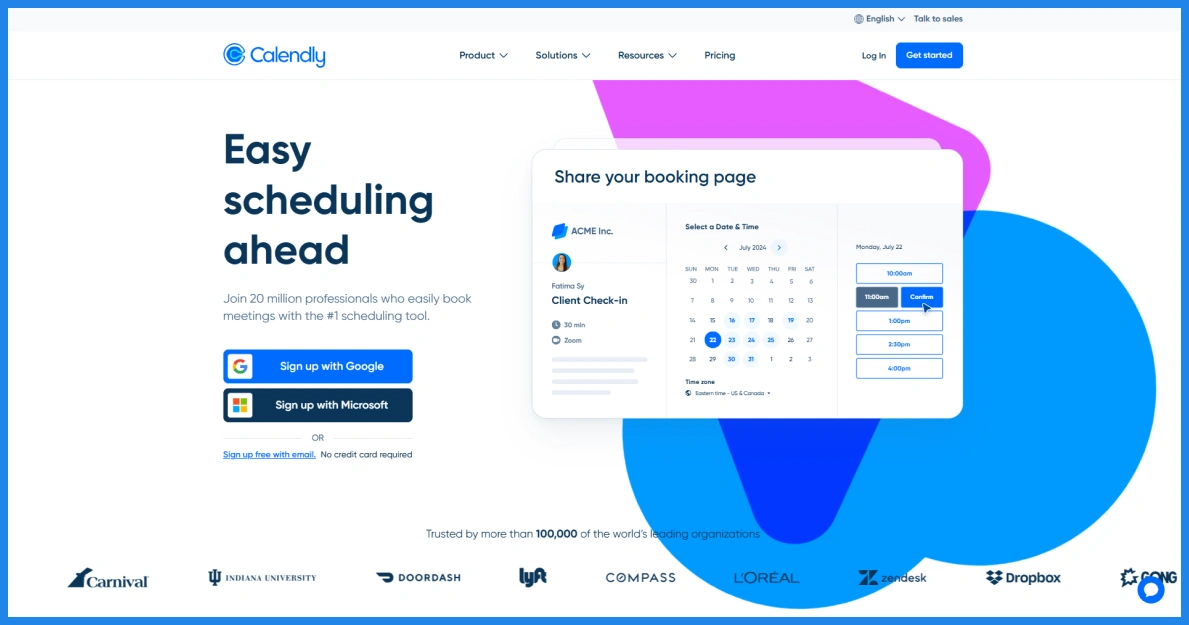
Calendly is one of the most widely used scheduling tools for consultants and professionals. It works as a standalone online appointment booking system that allows clients to book meetings through a shared scheduling link.
Instead of managing appointments manually, consultants can send a Calendly link where clients can choose an available time slot. The system then confirms the meeting and updates the calendar automatically.
Because of its simple setup, many professionals use Calendly as their client booking system.
Key Features
- Simple scheduling links: Share a booking link so clients can schedule meetings easily.
- Calendar integration: Sync with Google Calendar and other calendars to avoid conflicts.
- Automated notifications: Send confirmation emails and reminders before the appointment.
- Meeting integrations: Automatically generate meeting links for platforms like Zoom or Google Meet.
- Team scheduling options: Support round-robin and group meetings for consulting teams.
What we liked most
- Very easy to set up and start using.
- Eliminates back-and-forth emails by sharing a scheduling link.
- Integrates with popular tools like Google Calendar, Zoom, and CRM platforms.
- Automated reminders help reduce missed appointments.
- Free plan available for basic scheduling.
What are the cons
- Free plan allows only one event type.
- Limited customization for booking pages.
- Payment integrations require higher plans.
- Pricing increases for teams due to per-user plans.
Pricing
Starting from $120/year.
WPtimetics
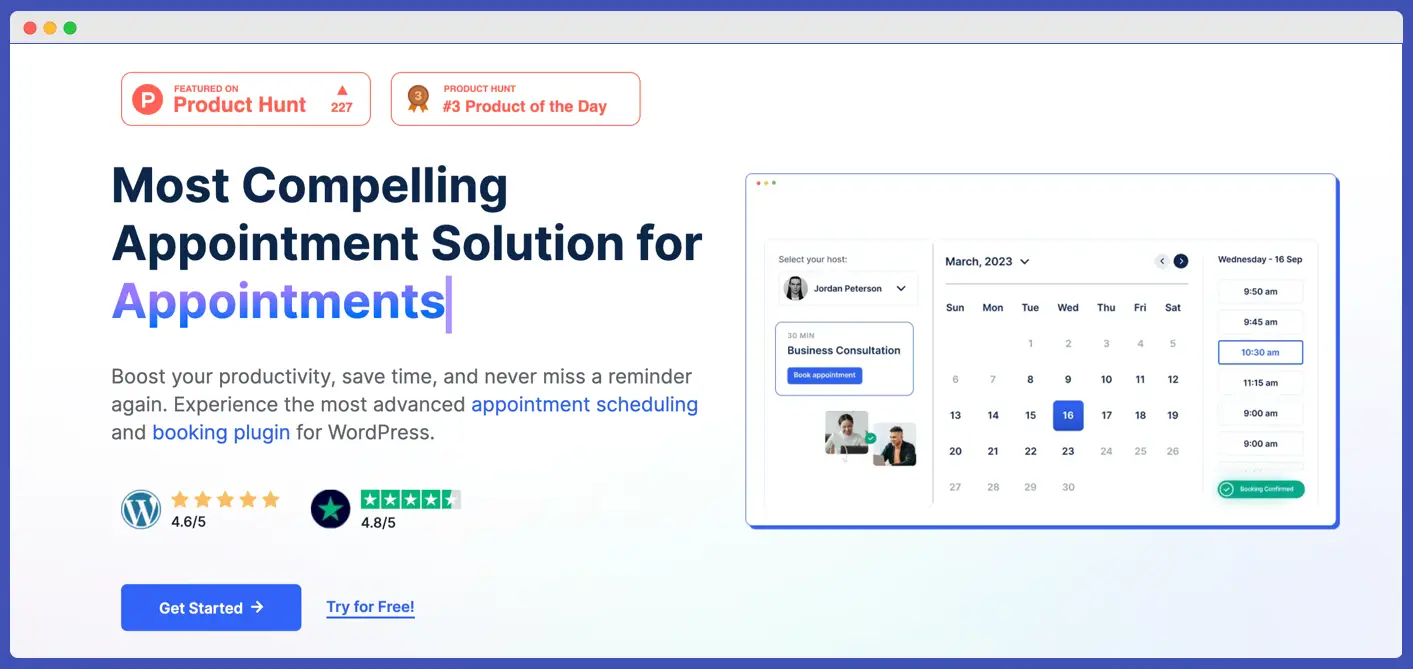
WPtimetics is the best WordPress appointment solution for consultants that allows you to manage appointments directly on your website. Instead of relying on an external scheduling platform, WordPress plugins allow businesses to manage appointments from their own website.
WPtimetics is designed specifically for this purpose. It works as an appointment scheduling plugin that enables consultants and coaches to create services, manage availability, and accept bookings without sending clients to a third-party platform.
Clients can visit the website, select the service they need, choose an available time slot, and confirm the booking. The system automatically updates the calendar and sends notifications, helping consultants keep their schedules organized.
Key Features
- Unlimited appointments and services: Create multiple consultation types such as discovery calls or coaching sessions.
- Calendar integrations: Sync with Google Calendar to avoid scheduling conflicts.
- Zoom and meeting integrations: Automatically generate meeting links for online sessions.
- Automated reminders: Send email or SMS notifications before the appointment.
- Custom booking forms: Collect client details during the booking process.
- Payment support: Accept payments through WooCommerce during booking.
What we liked most
- Runs directly on your WordPress website.
- Full control over bookings and client data.
- Supports multiple services and appointment types.
- Integrates with calendars, meeting platforms, and payment gateways.
- No dependency on external SaaS scheduling platforms.
What are the cons
- Requires a WordPress website.
- Initial setup may take longer than SaaS tools.
- Website maintenance and updates remain your responsibility.
Pricing
Starting from $79/year, $219 for a lifetime.
Start Managing Your Bookings with WPTimetics
If you run a consulting or coaching business on WordPress, WPTimetics helps you manage appointments, accept bookings, and organize your schedule directly on your website.
Acuity Scheduling
Acuity Scheduling is another popular online appointment booking system designed for service professionals, including consultants and coaches. It allows clients to book sessions, complete intake forms, and make payments during the booking process.
The platform is owned by Squarespace and is commonly used by consultants who want a complete online client booking system with scheduling and payment features in one place.
Acuity works as a hosted platform, so you can share booking links with clients or embed the system on your website.
Key Features
- Service-based scheduling: Create different consultation or coaching session types.
- Client intake forms: Collect information from clients before the meeting.
- Calendar synchronization: Sync with Google Calendar and other calendars.
- Payment support: Accept payments during booking.
- Automated reminders: Send confirmation emails and appointment reminders.
What we liked most
- Strong appointment scheduling with service-based booking.
- Client intake forms help gather information before sessions.
- Built-in payment collection for consultations.
- Automated reminders and calendar synchronization.
- Suitable for coaching programs and consultation packages.
What are the cons
- No long-term free plan.
- Monthly subscription required.
- Hosted platform limits customization of booking pages.
Pricing
Starting from $192/year.
Setmore
Setmore is a popular appointment scheduler for consultants, coaches, and service professionals to manage meetings and client sessions. It allows businesses to create a booking page where clients can schedule appointments based on available time slots.
The platform works as a hosted scheduling tool, which means you can share a booking link or embed the booking page on your website. Consultants often use Setmore as an online booking system for service businesses because it combines scheduling, reminders, and payment collection in one platform.
Key Features
- Online booking page: Create a branded booking page where clients can schedule appointments.
- Calendar synchronization: Sync appointments with Google Calendar or Office 365.
- Automated reminders: Send email and SMS reminders to reduce missed meetings.
- Video meeting integration: Host video appointments using Zoom or Google Meet.
- Payment support: Accept payments through tools like Stripe, PayPal, or Square.
What we liked most
- Free plan available for small teams.
- Built-in video meeting integration for online consultations.
- Supports automated reminders and calendar syncing.
- Easy to create booking pages and share scheduling links.
- Works well for small service businesses.
What are the cons
- Limited customization options.
- Some features require paid upgrades.
- Booking system hosted outside your website.
Pricing
Starting from $60/year.
SimplyBook.me
SimplyBook.me is a feature-rich booking platform designed for businesses that rely heavily on appointments. It offers a wide range of customization options that allow service providers to tailor the booking process to their specific workflow.
One of the platform’s strongest features is its customizable booking page. Businesses can design a booking interface that matches their branding and offers different services, time slots, and availability rules.
SimplyBook.me also provides extensive integrations with tools such as payment gateways, email services, and marketing platforms. This makes it suitable for businesses that want their booking system to connect with other parts of their operations.
Key Features
- Custom booking page: Create a booking page where clients can schedule consultation sessions.
- Service and schedule management: Set different services, durations, and available time slots.
- Calendar synchronization: Connect with calendars to prevent overlapping bookings.
- Automated notifications: Send confirmation emails and reminders to clients.
- Payment integrations: Accept payments during booking for consultation sessions.
What we liked most
- Highly customizable booking pages and workflows.
- Supports many integrations and payment options.
- Free plan available for small businesses.
- Automated reminders help reduce no-shows.
- Suitable for many service industries.
What are the cons
- Booking limits on free and lower plans.
- Pricing structure can become complex with add-ons.
- Interface may feel outdated in some areas.
Pricing
Starting from $142.8/year.
Cal.com
Cal.com is an open-source online appointment booking system that focuses on flexibility and customization. It allows consultants and coaches to manage meeting schedules and share booking links with clients.
Unlike many hosted tools, Cal.com also offers an open-source option. This makes it attractive for teams that want more control over their online schedule booking system. Consultants often use Cal.com when they need a customizable scheduling tool with developer-friendly features.
Key Features
- Open-source scheduling platform: Developers can customize the system based on business needs.
- Custom booking pages: Cal.com allows you to create booking pages where clients can select available time slots and schedule meetings.
- Calendar synchronization: Connect with calendars to keep availability updated.
- Meeting integrations: Automatically generate meeting links for video calls.
- Flexible scheduling options: Create different meeting types for consultations or coaching sessions.
What we liked most
- Open-source scheduling platform with strong customization options.
- Can be self-hosted for greater control over data.
- Supports calendar integrations and meeting links.
- Flexible for teams and developer-driven workflows.
- Good option for businesses wanting customizable scheduling.
What are the cons
- Setup may require technical knowledge.
- Advanced features available only in paid plans.
- Interface may feel complex for non-technical users.
Pricing
Starting from $144/year.
YouCanBook.me
YouCanBook.me is designed to help professionals manage appointments through a simple booking page connected to their calendar. It allows consultants and coaches to share booking links where clients can choose available time slots and confirm meetings.
The platform integrates closely with Google, Microsoft, and Apple calendars, making it useful for consultants who rely heavily on calendar-based scheduling. Many professionals use YouCanBook.me as a lightweight scheduling tool for coaches when they need a simple scheduling workflow.
Key Features
- Custom booking pages: Create branded booking pages for scheduling sessions.
- Calendar integration: Connect with Google, Outlook, or Apple calendars to check availability.
- Automated reminders: Send confirmation and reminder emails or SMS notifications.
- Payment collection: Accept payments during booking through Stripe.
- Team scheduling: Manage multiple team members and booking pages.
What we liked most
- Strong calendar integration with Google and Outlook.
- Customizable booking pages and scheduling rules.
- Automatically adjusts booking times for different time zones.
- Transparent pricing model with simple plans.
What are the cons
- Limited integrations compared to larger platforms.
- Free plan includes platform branding.
- Payment collection requires third-party integrations.
- Team scheduling features are less advanced than some competitors.
Pricing
$108 per year.
Why Many Consultants Choose WordPress for Scheduling
Many consultants prefer to run their booking system directly on their website, rather than relying on external scheduling platforms. Using WordPress allows them to manage both their website and booking workflow in one place.
One of the biggest advantages is having a website and a booking system on the same platform. Instead of sending clients to a third-party booking page, consultants can let visitors schedule sessions directly from their website. This creates a smoother experience and keeps everything connected.
Another important reason is ownership of client data. When using SaaS scheduling tools, booking data is stored on the platform’s servers. With WordPress, consultants manage their own data and store client information directly on their website.
WordPress also helps avoid long-term SaaS lock-in. Many hosted scheduling tools require monthly subscriptions. Over time, these costs can increase as more features or users are added. With WordPress, businesses can run their scheduling system using plugins without relying on recurring SaaS tools.
This is why many consultants choose WordPress booking plugins such as WPtimetics. It allows them to create an online booking system directly on their website, manage appointments, and handle scheduling without sending clients to another platform.
FAQs
What is an Online Booking System?
An online booking system is a tool that allows clients to schedule appointments through a website or booking page. Instead of sending emails to find a suitable time, clients can view available slots and book a meeting instantly.
What is the best booking software for consultants?
WPtimetics is the best booking software for consultants. It allows coaches to manage appointments, offer different session types, and let clients book meetings directly from their website. With calendar integration, automated reminders, and booking forms, it works as a complete solution.
Why Consultants and Coaches Need a Booking System
Consultants often spend a lot of time coordinating meetings through email. A booking system removes this manual process. Clients can select available time slots and confirm appointments instantly. A good appointment booking system also sends reminders and helps keep all bookings organized.
Can I accept payments with booking systems?
Yes. Many modern booking systems support payment collection during the booking process. This allows clients to pay for consultation sessions when they schedule a meeting.
Is WordPress good for appointment scheduling?
Yes, WordPress works well for appointment scheduling when used with the right plugin. A WordPress booking plugin allows consultants and coaches to manage appointments directly from their website.
How does an online booking system reduce no-shows?
A booking system like WPtimetics helps reduce no-shows by sending automatic reminders before the scheduled meeting. These reminders help clients remember their appointment. Many tools also allow confirmation messages and follow-up notifications.
What is the difference between scheduling tools and booking systems?
Scheduling tools usually focus on simple meeting coordination, such as sharing a link where clients can choose a time slot. A booking system offers a broader solution that includes service selection, payment collection, reminders, and calendar integrations.
Wrapping up: Which Appointment and Booking Plugin Should You Use?
Choosing the right online booking system for consultants depends on how you plan to manage your scheduling in the long run.
SaaS scheduling tools are useful for getting started quickly. Platforms like Calendly or Acuity allow consultants to share booking links and accept appointments without much setup. This makes them convenient for individuals who want a simple scheduling solution.
However, as consulting businesses grow, many professionals look for more control and flexibility. This is where WordPress booking systems become valuable. Running your booking system on your website allows you to customize the experience, integrate scheduling with your services, and keep full control of your client data.
For consultants and coaches who want a long-term solution, WordPress plugins such as WPTimetics provide a flexible way to manage appointments directly on their website while avoiding ongoing SaaS lock-in.
Ready to Start Accepting Bookings on Your Website?
WPTimetics is an all-in-one appointment booking, meeting scheduler, and calendar booking plugin for WordPress, designed to simplify how you manage time and reservations.
Whether you’re a tutor, consultant, hiring manager, educator, business owner, or event organizer, WPTimetics makes it easy to book appointments, manage time slots, schedule meetings, and accept online bookings from a single interface.