AI Booking Assistant vs Traditional Booking Forms: What’s Better in 2026?
 Mayeesha Farin
35 minutes read
Mayeesha Farin
35 minutes read 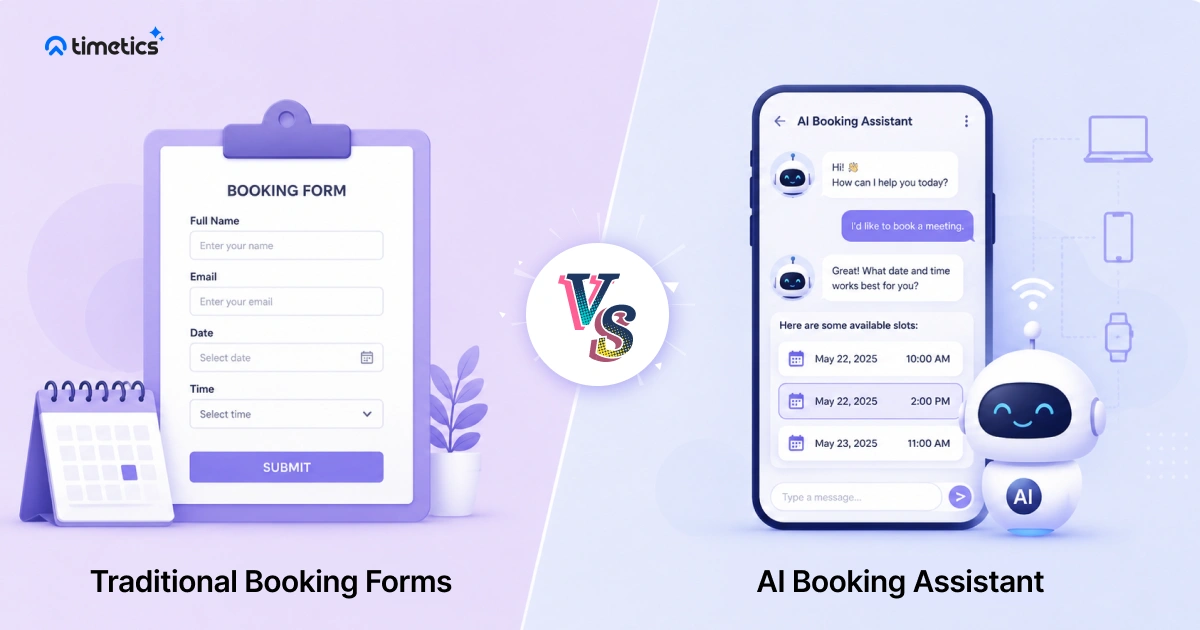
The key difference between an AI booking assistant and a traditional booking form comes down to one thing: a form asks customers to complete a fixed process, while an AI assistant helps guide them through it.
A traditional form displays fields, services, and available time slots. The customer must understand the options and complete each step. An AI booking assistant uses conversation to understand the request, suggest suitable options, answer supported questions, and help complete the booking.
This difference can affect how businesses handle booking questions, appointment changes, special requests, and customer follow-up. However, traditional forms can still be the simpler and more affordable choice for predictable, low-volume bookings.
This guide compares AI booking assistants and traditional booking forms by interaction style, availability handling, personalization, setup, cost, rescheduling, and customer experience. It also explains which option fits different business needs and scheduling workflows.
📚 Which Option Is Better?
An AI booking assistant is generally better for businesses that handle frequent booking questions, appointment changes, repeat customers, or complex scheduling requests. A traditional booking form is usually enough for simple, predictable, and low-volume appointments.
- Traditional booking forms work best for simple and predictable appointment flows.
- AI booking assistants can understand natural-language requests and guide customers through supported booking tasks.
- Standard booking automation handles calendar checks, confirmations, and reminders, while AI focuses on interpreting requests and providing relevant responses.
- AI assistants may require more configuration and may cost more than basic booking forms.
- Businesses with frequent questions, rescheduling requests, or complex services may benefit more from a conversational system.
- Many businesses can use an AI assistant alongside an existing booking form instead of replacing it completely.
What Are the Limitations of Traditional Booking Forms?
Traditional booking forms provide a clear and familiar way to collect appointment details. However, they can become limiting when customers need guidance, have special requests, or want to change a booking through conversation.
- Passive experience: A traditional form follows predefined fields and options. It cannot usually understand an open-ended question, explain a service, or ask a dynamic follow-up question.
- Form fatigue: Long forms with too many required fields increase friction and push customers to abandon the booking. Baymard Institute found that 17% of online shoppers had abandoned a checkout because the process was too long or complicated, so businesses lose bookings simply because the form takes too long.
- No flexibility for edge cases: Standard forms may include note fields, but they usually cannot ask dynamic follow-up questions or confirm whether an unusual request can be supported
- No upsell or guidance: Some advanced forms can display add-ons or conditional options. However, they usually cannot explain those options conversationally or adapt recommendations to an open-ended customer request.
Traditional forms work best when customers already know which service, staff member, and time they want — for example, a barbershop with fixed 30-minute slots.
A conversational booking system is more useful when customers need guidance before confirming, such as a salon handling frequent reschedules or a consultant whose clients ask questions before choosing a session type.
What Is an AI Booking Assistant?
An AI booking assistant is software that uses natural-language interaction to understand booking requests and help customers complete supported scheduling tasks.
Depending on the platform, it may check connected calendars, suggest suitable times, answer booking-related questions, collect appointment details, reschedule existing bookings, or confirm an appointment.
An AI booking assistant builds on an online appointment booking system by adding natural-language interaction and conversational guidance.
Unlike a fixed form, an AI assistant can ask follow-up questions and use the customer’s earlier responses as context. However, its capabilities depend on the platform, integrations, scheduling rules, and communication channels available.
Interest in AI scheduling is also growing. In Calendly’s 2023 survey, 49% of respondents said automated scheduling was one of the AI capabilities they were most interested in using.
This shows growing interest, but businesses should still measure booking completion, staff workload, and customer feedback.
A few things define how this works in practice:
- Conversational, not click-through: The customer describes what they need in plain language instead of navigating menus.
- End-to-end task handling: It doesn’t just collect a request and hand it off. It checks availability, applies scheduling rules, and completes the booking in the same interaction.
- Works across channels: Many AI booking assistants handle chat, SMS, or website widgets, so the customer isn’t limited to one entry point.
- Remember context: If a customer asks a follow-up question, the assistant connects it to what was already said, instead of starting over.
This is the core distinction behind AI appointment scheduling: the system doesn’t wait for the customer to fill in the blanks correctly. It fills them in through conversation.
In many cases, an AI booking assistant works as a conversational layer connected to an existing scheduling platform, calendar, services, staff availability, and booking rules.
So, it plugs into the same calendar and service setup you’re already using, rather than replacing your entire booking system.
AI Booking Assistant vs Traditional Booking Forms: Quick Comparison
Once you put both side by side, the gap becomes easier to see. Here’s how an AI booking assistant and traditional booking forms compare across the areas that actually matter to a business.
| Comparison point | Traditional booking form | AI booking assistant |
|---|---|---|
| Interaction | Uses fixed fields and predefined steps | Uses natural-language conversation |
| Availability | Displays slots based on connected calendars and booking rules | May interpret preferences and suggest matching available slots |
| Rescheduling | Usually handled through a link, account, or separate flow | May support rescheduling within the conversation |
| Validation | Uses predefined fields and scheduling rules | Adds conversational guidance but still relies on scheduling rules |
| Personalization | Uses saved details or predefined logic | May adapt responses using conversation and booking context |
| Setup | Usually faster and simpler | May require more configuration and integrations |
| Cost | Often has a lower starting cost | May include higher plan or usage-based costs |
| Channels | Usually uses a booking page or embedded form | May support website chat, messaging, or other connected channels |
| Special requests | Collects notes or predefined fields | May ask follow-up questions about supported requests |
This is really a booking form vs chatbot decision underneath the surface. A form is built to collect information. A conversational system is built to complete a task.
Neither approach is universally “wrong.” A traditional booking form is still fine for a business with simple, predictable bookings and low volume.
But once a business deals with cancellations, last-minute changes, or a customer base that expects fast answers, the gap between the two starts costing real bookings.
9 Differences of AI Booking Assistant vs Traditional Booking forms
The table gives a quick overview. The sections below explain where the differences affect the actual booking process.
Interaction style
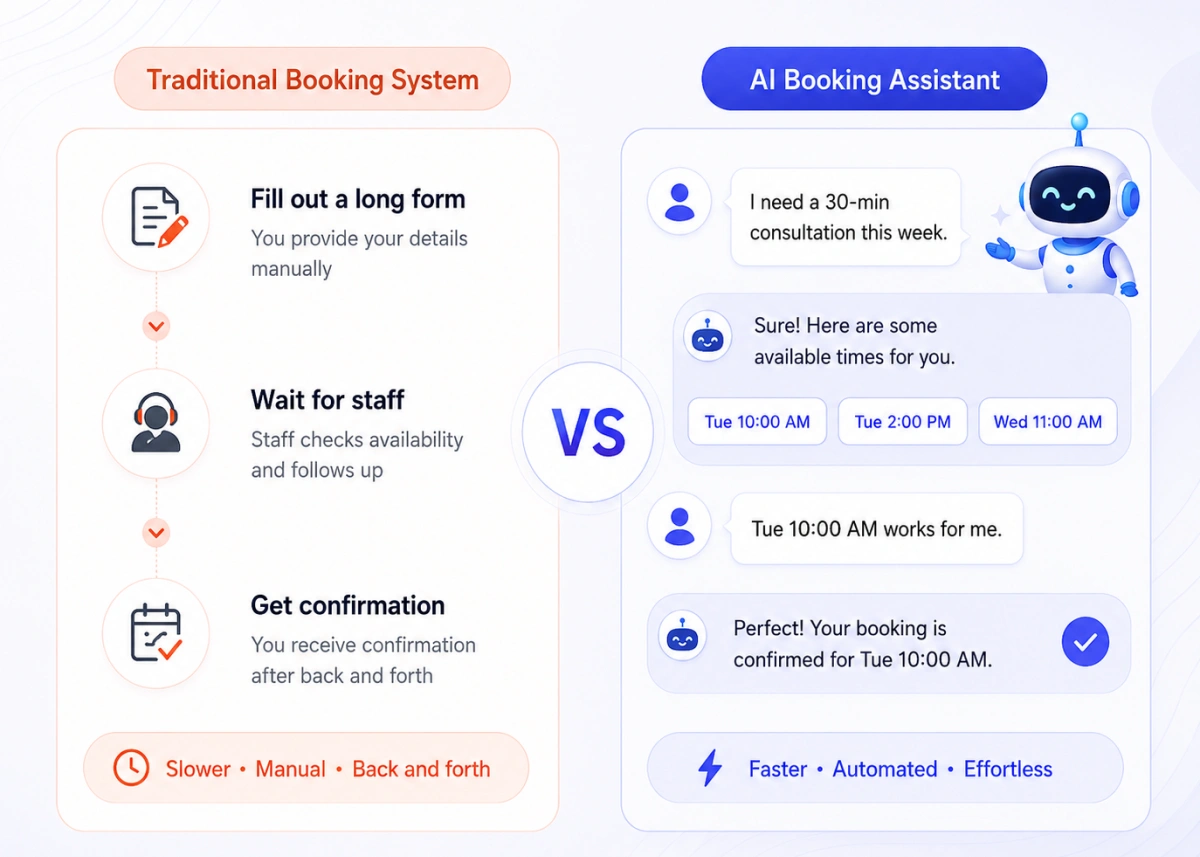
A traditional booking form is static and just shows fields, dropdowns and a submit button. A customer has to fill it exactly as designed, with no room for back-and-forth.
An AI booking assistant uses a conversational flow instead. The customer describes what they need in plain language and the assistant responds, asks for a follow-up if needed, and moves the conversation toward a supported booking action.
The difference is not only visual. A form follows a predefined path, while a conversational assistant can adjust its next question based on the customer’s response.
Rescheduling
With a traditional booking form, customers may need to open a rescheduling link, return to the booking page, or repeat part of the original process.
With a supported AI scheduling assistant, customers may be able to request a new time in the same conversation. The assistant can check available options and help confirm a replacement slot without requiring them to restart the full booking process.
Validation and Booking Errors
Both forms and AI assistants depend on accurate availability rules, calendar connections, and validation.
A well-configured booking form can prevent overlapping appointments, while an AI assistant may reduce incomplete requests by asking follow-up questions. Neither approach removes errors if the underlying scheduling setup is incorrect.
Personalization
Basic booking forms usually follow a predefined path, while advanced forms may use conditional fields or prefilled information.
An AI booking assistant may adapt its responses using the current request, earlier conversation details, or available booking history. The level of personalization depends on the data and features supported by the platform.
Availability handling
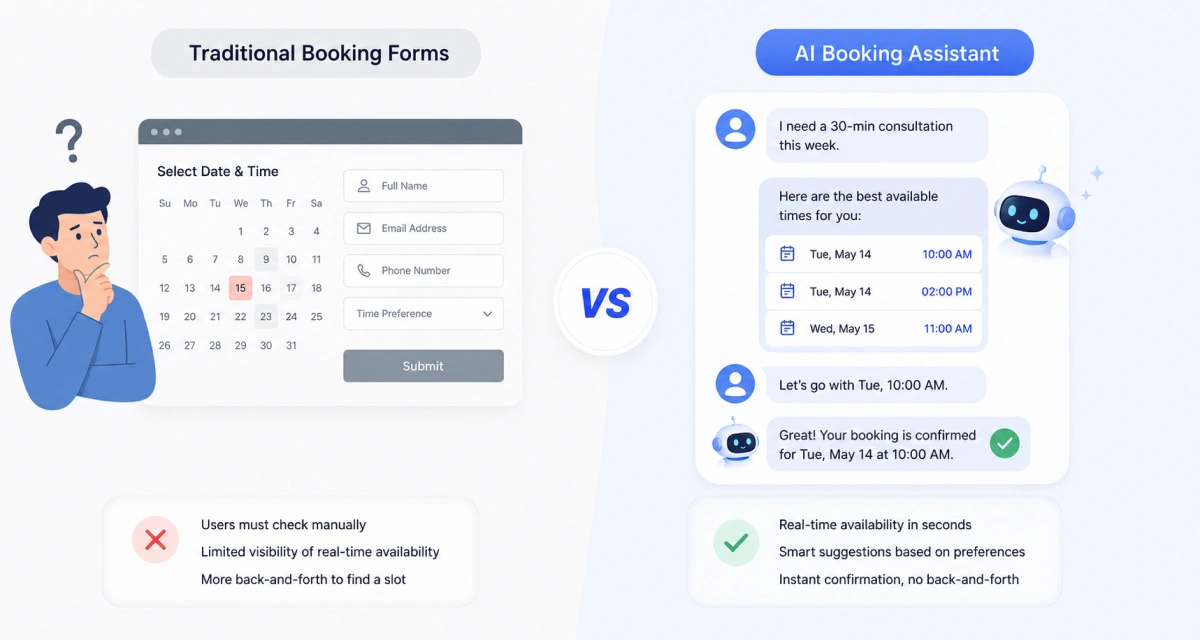
Forms commonly display available slots from connected calendars and predefined scheduling rules. If the preferred time is unavailable, the customer must choose another displayed slot or contact the business for help.
An AI booking assistant may interpret a request such as “Friday afternoon” and use the scheduling system’s live availability to suggest relevant options.
Setup time
Traditional booking forms are usually quick to set up. Add a plugin, connect a calendar and the form is live. But that simplicity is also where the limitations show up later.
An AI booking assistant typically takes a bit more setup upfront, since it needs to be connected to services, rules, and calendar logic. Once configured, it may support more conversational booking tasks than a basic form.
Cost
Forms often have a lower starting cost because they use a more structured booking flow.
An AI assistant may cost more depending on the plan, usage, supported channels, and integrations.
The higher cost may be justified when the assistant reduces manual coordination, improves booking access, or helps customers complete complex requests. Businesses should measure these outcomes rather than assume a return.
Channel support
Channel support varies by platform. Some AI booking assistants work only inside a website interface, while others connect with messaging tools or additional communication channels. Businesses should verify each supported channel before choosing a tool.
Handling edge cases
A booking form can collect a special request through a note field or custom field, but it usually cannot ask dynamic follow-up questions.
A conversational assistant may interpret the request, ask for more details, and store supported instructions. Requests outside its configured rules may still require staff review.
Why Businesses Are Moving Away from Forms
Calendly’s 2023 State of Scheduling report found that 89% of surveyed workers spent up to four hours per week scheduling meetings, showing how repeated calendar checks and availability messages can add to administrative work.
Automated appointment booking handles routine steps such as availability checks, confirmations, and reminders, while AI focuses on interpreting requests and guiding the conversation.
Reduced abandonment
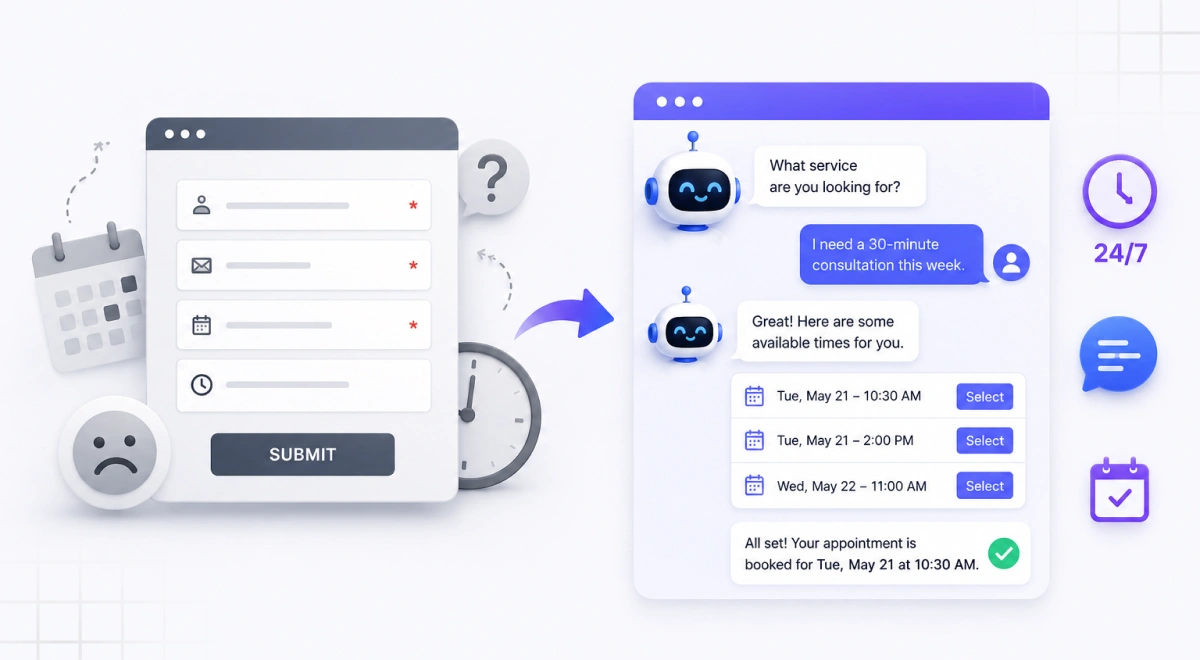
Long or confusing booking flows may cause some customers to leave before completing an appointment.
Businesses may consider conversational booking when their analytics show users leaving complex forms. An assistant can provide guidance, but the business should compare completion rates before and after implementation to confirm whether it reduces abandonment.
Fewer no-shows
Automated confirmations, reminders, and easier rescheduling can help reduce missed appointments.
A systematic review found that electronic notifications made people 25% less likely to miss healthcare appointments, reducing no-shows from 21% to 15%.
While the study focused on healthcare reminders rather than AI, it shows the value of consistent notifications and easier rescheduling.
Related read: How a Booking System Reduces No-Shows: 7 Proven Strategies to Follow
Support for Booking Requests Outside Business Hours
An AI assistant responds to supported booking requests around the clock, so a customer can book at midnight without waiting for your team to open. Complex questions, exceptions, complaints, or sensitive cases are still routed to staff for a human touch.
Better customer experience
Some customers may prefer describing what they need instead of navigating a long form. Others may prefer the speed and predictability of selecting a slot directly. Offering both options can support different customer preferences.
How the Timetics AI Agent Fits In
Timetics AI connects its AI Agent with the services, staff availability, booking rules, and calendars configured in the platform.
Customers can describe supported booking or rescheduling requests in natural language. The Agent interprets the request and uses the existing scheduling setup to identify relevant options.
The AI Agent does not replace the underlying booking system. It provides a conversational way to interact with it.
The exact actions available depend on the current Timetics AI configuration and enabled features.
A Real Example Workflow
Consider a salon customer who wants to move a Thursday appointment to Friday afternoon and keep the same stylist.
With a traditional form, the customer may need to open a rescheduling link, review Friday availability, select the stylist again, and confirm the change.
With the Timetics AI Agent, the customer can describe the preferred day, time, and stylist in one request. The Agent can use the configured scheduling data to identify matching options.
This reduces the number of steps the customer must complete manually. The exact actions depend on the current Timetics AI setup and enabled features.
The exact actions available depend on the current Timetics AI configuration and supported integrations.
Review Timetics AI pricing and plan features to see which scheduling and AI capabilities are included.
Timetics Tutorial video: Timetics AI 2.0 | A New Standard of Smarter Scheduling, Services & Multi-Business in One Platform
Final Thoughts: Choosing the Right Booking Experience
Traditional booking forms remain a practical option for businesses with simple services, predictable appointment types, and customers who prefer choosing a slot directly.
An AI booking assistant may be more useful when customers frequently ask questions, request changes, describe preferences in natural language, or need help selecting a service or staff member.
Businesses do not always need to choose one option. A conversational assistant can work alongside a standard booking form, giving customers more than one way to schedule.
Before selecting a tool, compare its cost, supported channels, booking controls, privacy terms, and verified AI capabilities. The right choice is the one that solves a measurable problem in your current booking process.
If frequent questions, reschedules, or missed after-hours bookings are costing you appointments, try Timetics AI today and let a conversational assistant handle them alongside your existing form.
FAQs
Is customer data safe with an AI booking assistant?
Customer data can be protected when the provider uses encrypted connections, secure authentication, access controls, regular software updates, and clear data-retention policies.
Businesses should also check where booking conversations are stored, which third parties can access them, whether customer data is used for AI training, and how users can request deletion.
Businesses handling medical, financial, or other sensitive information should confirm the legal and regulatory requirements that apply to them.
Can an AI booking assistant handle payments?
Some AI booking assistants connect with booking systems that support payment services such as Stripe, PayPal, or another supported payment provider.
The assistant may guide the booking process, while the connected payment service handles the actual transaction. Payment support varies by platform and plan.
Does an AI booking assistant support multiple languages?
Yes, most AI booking assistants support multiple languages, though the exact coverage depends on your platform, AI model, and configured languages. Before going live, test service names, dates, booking instructions, and confirmation messages in every language you plan to support.
Will customers need training to use it?
Most customers should not need formal training, but the interface should provide a clear starting prompt and examples of supported requests.
Customers may still need guidance if the assistant cannot understand a request or does not support a specific booking action.
Can I customize how the AI assistant sounds?
Some platforms allow businesses to customize greetings, instructions, response style, or brand language.
The available controls vary by tool, so businesses should check whether the assistant supports tone, terminology, and fallback-message customization.
Can an AI booking assistant work on mobile devices?
A web-based AI assistant can work on mobile when the booking interface is responsive.
SMS and messaging support depend on the platform and may require additional setup, integrations, or fees.
Is an AI Booking Assistant Better for Small Businesses?
An AI booking assistant can be useful for a small business when staff spend significant time answering booking questions, managing reschedules, or handling requests outside business hours.
A traditional booking form may be enough when the business offers a small number of services, uses fixed appointment lengths, and receives a low volume of bookings. The decision should depend on booking complexity, not only business size.
What Happens When the AI Cannot Handle a Request?
The assistant should explain its limitations, collect relevant details, or transfer the request to staff. Businesses should confirm how unsupported requests and booking exceptions are handled before launch.
How Much Does an AI Booking Assistant Cost?
Pricing may depend on staff accounts, booking volume, message usage, supported channels, and integrations. Businesses should compare the total cost with the scheduling problem the tool is expected to solve.