12 Essential WordPress Booking Plugin Features to Check in 2026
 Mayeesha Farin
42 minutes read
Mayeesha Farin
42 minutes read 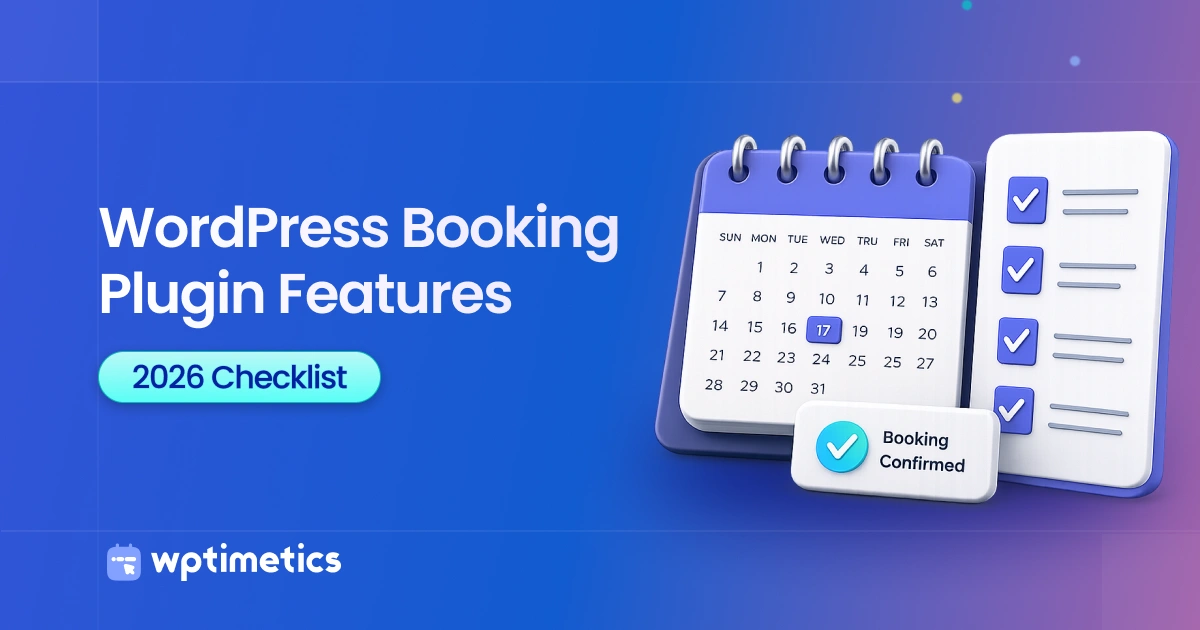
A WordPress booking plugin should support online booking, real-time availability, scheduling controls, calendar sync, payments, reminders, and appointment management. Some businesses also need staff scheduling, customer rescheduling, time-zone conversion, and group or recurring appointments.
Most booking plugins advertise similar features, but those features may work differently. Some require a paid plan, separate add-on, or external service. This guide explains 12 WordPress booking plugin features that directly affect customer booking and daily business operations.
- Essential features: Online booking, real-time availability, calendar sync, payments, reminders, rescheduling, and appointment management.
- Double-booking prevention: The plugin should block unavailable staff, time slots, rooms, and equipment automatically.
- Multi-staff scheduling: Each staff member should have separate availability, services, permissions, and calendar connections.
- Calendar synchronization: Two-way sync should add bookings and detect conflicts from external calendar events.
- Advanced booking options: Group appointments, recurring bookings, deposits, and advanced reports may require a paid plan.
- AI scheduling: Genuine AI features should recommend suitable times, staff members, or schedule improvements.
- Best selection method: Choose the plugin that supports your complete booking workflow at a sustainable total cost.
If you’re looking for a WordPress booking plugin that covers both essential and advanced scheduling needs, BookingPress is one option to consider. It offers 60+ premium add-ons for extending your booking system and supports 22+ payment gateways for accepting appointment payments through different methods. This makes it suitable for businesses that need more flexibility than basic online booking, whether you’re managing payments, staff, recurring appointments, notifications, or other appointment workflows.
What Features Should a WordPress Booking Plugin Have?
Use the table below as a quick screening checklist when comparing plugins. Prioritize the capabilities required by your booking process before considering optional tools. Count a feature only after checking its limitations, plan requirements, add-ons, and external costs.
| Essential feature | Essential feature |
|---|---|
| Online booking | A simple, mobile-friendly booking process |
| Availability | Accurate slots and conflict prevention |
| Scheduling controls | Working hours, breaks and booking limits |
| Appointment setup | Flexible services, durations and prices |
| Customer self-service | Rescheduling and cancellation |
| Time zones | Correct local appointment times |
| Staff scheduling | Separate availability and service assignments |
| Advanced booking types | Group and recurring appointments |
| Integrations | Calendar and video meeting connections |
| Payments | Online, offline and deposit options |
| Notifications | Confirmations and reminders |
| Management | Central booking, customer and reporting tools |
Not every business needs all 12 features. Choose the ones that match your booking process before comparing plugins.
12 Essential WordPress Booking Plugin Features
The following features affect how customers book and how your team manages appointments. For each one, check how it works and whether it requires an additional payment.
1. Simple Online Booking Experience
Customers should be able to select a service, date, time, and staff member without leaving your website. The form should show services, staff, available times, prices, and booking confirmation clearly on both desktop and mobile.
Some plugins let you add the form using a WordPress block, shortcode, or page builder widget. You may also need custom fields for phone numbers, service details, or customer requests. Keep the form short unless your service requires more information.
Before choosing a plugin, complete a test booking on both mobile and desktop. Check how many steps it takes and whether customers can understand each one without assistance.
2. Real-Time Availability and Double-Booking Prevention
A booking plugin prevents double bookings by checking staff, service, calendar, and resource availability before displaying a time slot.
Real-time availability shows customers only the time slots they can currently book. When someone confirms an appointment, the plugin should update the schedule and block that slot. This prevents two customers from booking the same staff member, room, or resource.
Calendar conflicts also matter when staff manage appointments outside WordPress. A connected external calendar event should block the matching time when the plugin supports conflict checking. Group sessions work differently because several customers may book the same time until capacity is reached.
Define whether pending and confirmed appointments block staff, calendar, room, and resource availability.
Note: Learn how to integrate google calendar and automate the process using WP Timetics.
3. Flexible Availability Controls
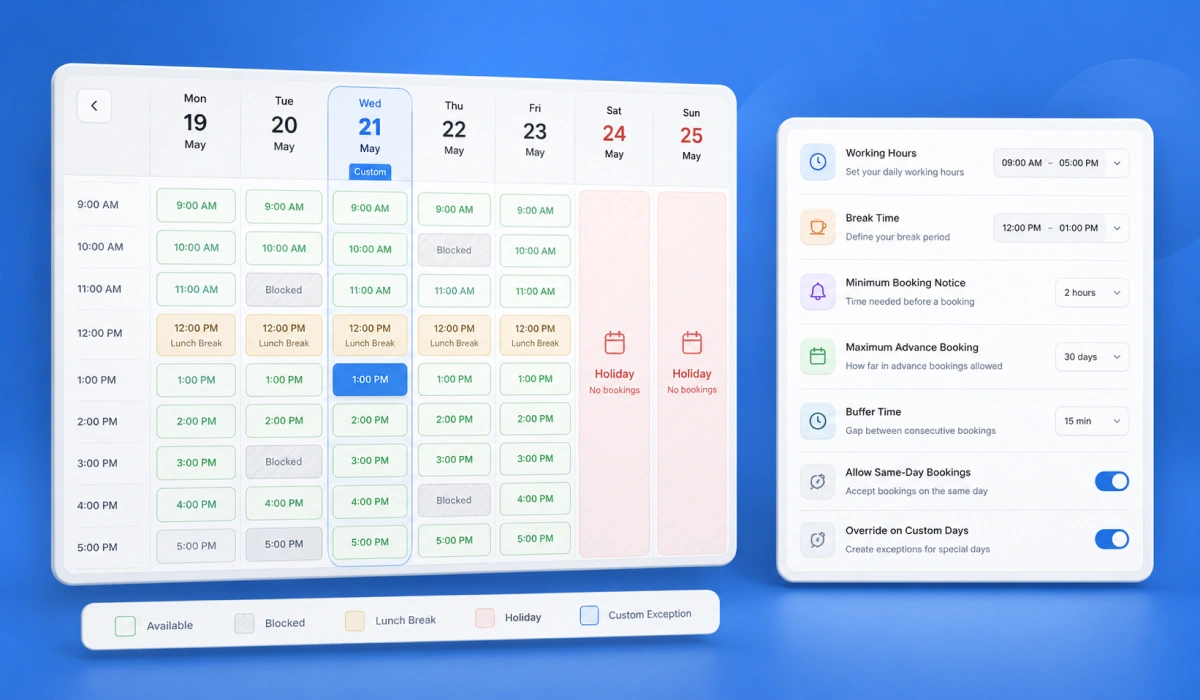
A booking plugin should let you define regular working hours, breaks, holidays, minimum booking notice, maximum advance-booking periods, buffer time, and daily booking limits. These controls determine exactly when customers can reserve an appointment.
Look for separate availability rules for services and staff members. You should also be able to create a one-day schedule exception without changing the regular weekly schedule.
Flexible time slots are also important when services have different schedules. You may offer in-person appointments at one location and virtual appointments on selected days. The plugin should manage these differences without requiring a separate booking form for every service.
Each service should support independent duration, price, location, staff, and availability settings.
For example, WP Timetics lets administrators create custom availability while individual staff members maintain separate schedules.
4. Custom Appointment Types and Durations
A booking plugin should let you create separate appointment types for each service. Every service may need its own duration, price, location, availability, and assigned staff members. For example, a consultation may last 30 minutes, while a training session may require 90 minutes.
Check whether each appointment type can have independent settings. Also confirm that changing one service does not affect the schedule, price, or availability of another.
5. Customer Rescheduling and Cancellation
Customer self-service lets customers reschedule or cancel appointments through a secure link without contacting staff. This reduces routine requests and helps businesses reopen cancelled time slots. The plugin should also let you define how close to an appointment customers can make changes.
When a customer changes an appointment, the system should update availability and notify the relevant staff member. Paid bookings may also require clear refund, credit, or deposit rules. These policies should appear before customers confirm their appointments.
Confirm that rescheduling updates availability, notifications, payments, and connected calendars.
6. Automatic Time-Zone Management
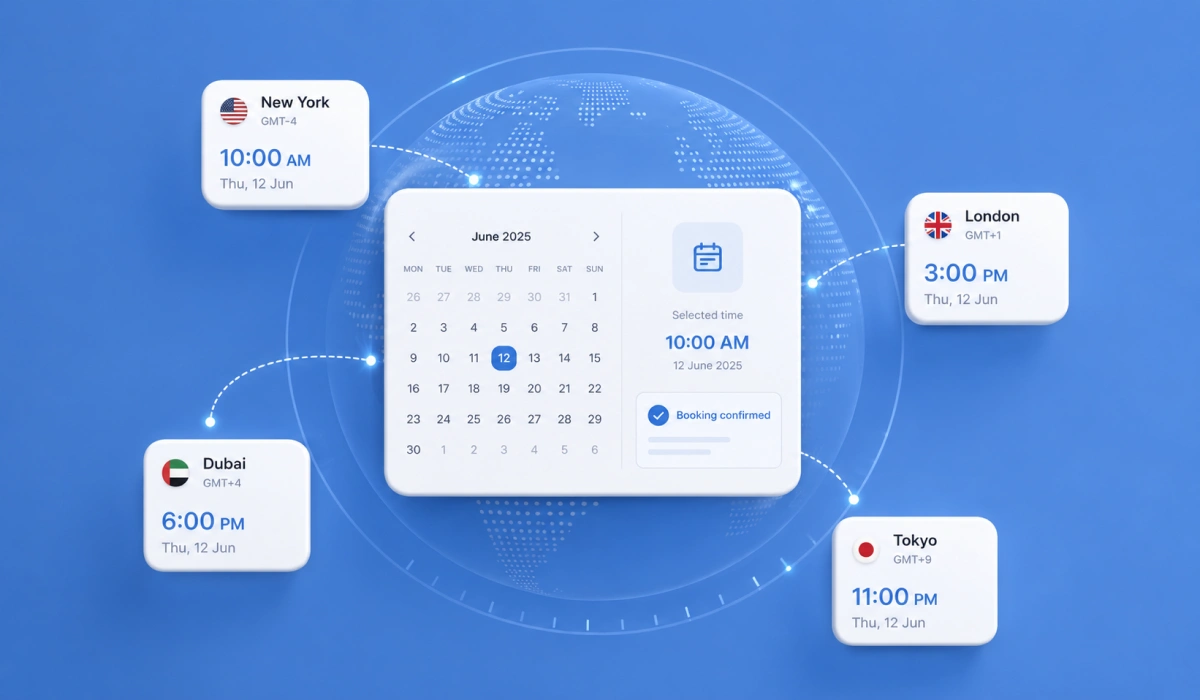
Time-zone management converts appointment times into the customer’s local time while keeping the original booking time consistent across calendars and notifications. Without this feature, customers and staff may see different times for the same appointment.
A suitable plugin should detect the visitor’s time zone and display the converted appointment time. The same time should appear correctly on the booking page, confirmation email, video meeting, and connected calendar. It should also account for daylight-saving changes where they apply.
Booking pages, notifications, meetings, and calendar events should show the correct local time, including daylight-saving changes.
7. Multi-Staff and Resource Scheduling
Multi-staff scheduling gives each employee separate availability, service assignments, calendar connections, and booking permissions.
Customers may choose a preferred staff member, or the system may assign anyone available. This helps businesses manage different skills, schedules, and responsibilities within one booking system.
Some appointments also require a room, chair, vehicle, or piece of equipment. The plugin should check both staff and resource availability before displaying a time slot. Otherwise, separate appointments may reserve the same limited resource.
Each staff member should have a separate schedule and calendar, while shared rooms or equipment should follow their own availability rules.
8. Group and Recurring Appointments
Group appointments let several customers join one session, while recurring appointments let a customer reserve a series of sessions. This option suits classes, workshops, tours, and training sessions. The plugin should track available spaces and stop accepting bookings when the session becomes full.
Recurring appointments let customers book a service across several dates in one process. Common options include weekly, biweekly, monthly, or custom schedules. This feature is useful for coaching, therapy, lessons, and services that require regular attendance.
Group bookings should track capacity and attendees, while recurring bookings should allow changes to one appointment without affecting the full series.
WP Timetics supports group sessions and recurring appointments for classes, coaching programs, training, and other repeat services.
Relevant read: How to Build an Appointment Booking Strategy That Converts Leads into Clients
9. Calendar and Video Meeting Integrations
Two-way calendar sync adds appointments to an external calendar and checks that calendar for events that could cause scheduling conflicts.
However, the level of connection varies across plugins. A basic export only adds appointments, while two-way synchronization also detects external conflicts and updates booking changes.
Video meeting integrations can create Zoom or Google Meet links automatically after a customer books. The system should include the correct link in confirmation messages and connected calendar events. This removes the need to create and send each meeting link manually.
Confirm whether the integration supports two-way conflict checking, cancellation updates, and separate calendar and meeting accounts for each staff member.
WP Timetics connects with Google Calendar, Outlook, iCal, Google Meet, and Zoom, although access may depend on the selected version or integration.
10. Payments and Booking Policies
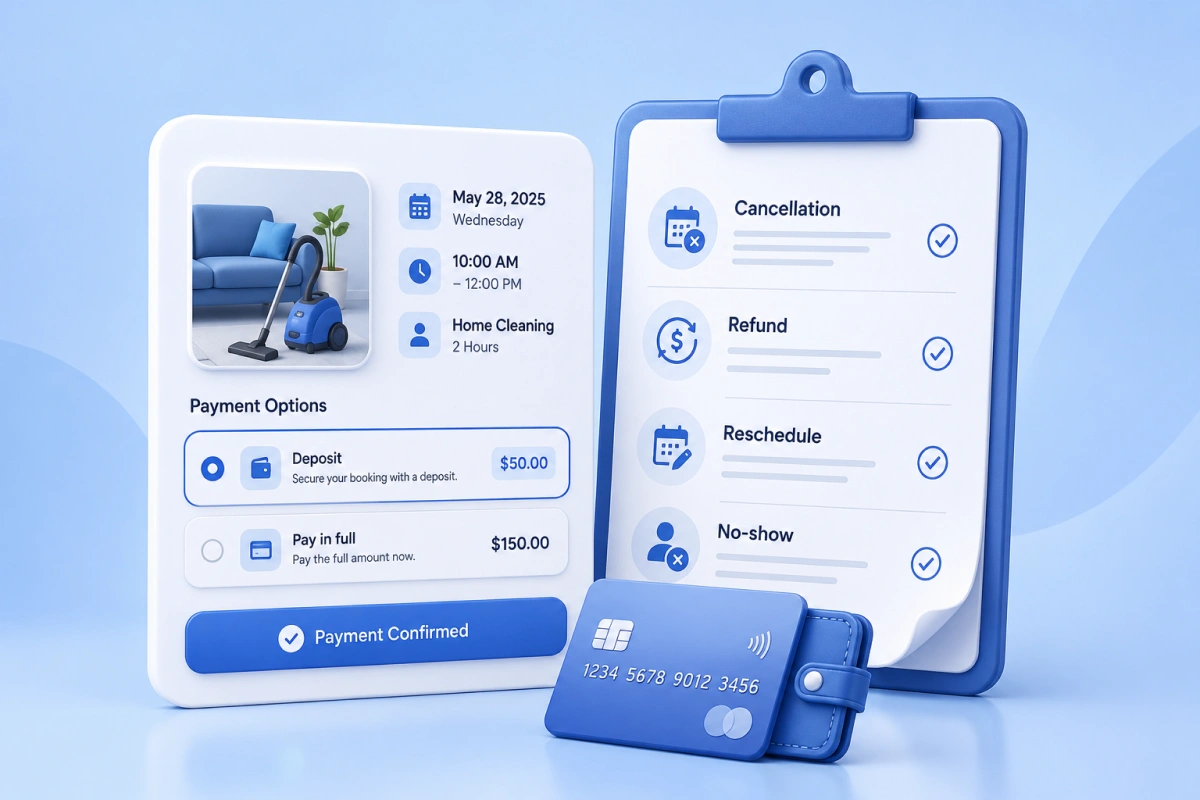
Payment features allow customers to pay during the booking process through Stripe, PayPal, WooCommerce, or another supported method. Depending on your business, you may need full payments, deposits, offline payments, or pay-later options. Confirm which payment methods are available in your country and plan.
Your booking policies should explain cancellations, refunds, failed payments, and no-shows before customers confirm an appointment.
If you accept deposits, state whether they are refundable and when the remaining balance becomes due. Clear policies can reduce payment disputes and customer confusion.
Payment status should control booking confirmation, while deposits, refunds, taxes, and coupons may require specific plans or add-ons.
11. Automated Confirmations and Reminders
Automated notifications keep customers and staff informed about new bookings, upcoming appointments, cancellations, and schedule changes. Most plugins support email, while SMS and WhatsApp messaging may require an external service. Each message should include the correct appointment details and any required action.
You should be able to adjust the message content, recipients, and delivery time. For example, you may send a confirmation immediately and reminders one day and one hour before the appointment. Follow-up messages can also request feedback or provide aftercare instructions.
Notifications should reflect booking changes and show separate costs or limits for SMS, WhatsApp, and other external messaging services.
12. Booking Management, Customer Data and Reports
A central dashboard should let administrators view, create, update, search, and filter appointments without accessing the WordPress database. It should clearly separate upcoming, completed, cancelled, and pending bookings. Manual booking is also useful when customers schedule by phone or in person.
Customer records should include contact details, appointment history, payment status, and relevant booking information. Team members should only access the data required for their roles. The plugin should also support data export and deletion when needed.
Reporting tools may track appointment volume, revenue, cancellations, staff performance, and popular services. Before choosing a plugin, review its permissions, export options, WordPress compatibility, update history, and data-handling documentation.
Confirm that the dashboard provides the information your team needs for daily decisions.
Which Booking Plugin Features Does Your Business Need?
Choose features based on how customers book, how staff manage appointments, and which resources each service requires.
| Business type | Features to prioritize |
|---|---|
| Solo consultant | Availability, calendar sync, reminders and payments |
| Multi-staff business | Individual staff schedules and service assignment |
| Coach or therapist | Recurring appointments and customer rescheduling |
| Class or workshop provider | Group capacity and attendee management |
| Virtual service provider | Time zones and automatic meeting links |
| Paid service business | Payments, deposits and cancellation rules |
| Room or equipment rental | Resource availability and conflict prevention |
A business may need features from several rows. Mark each required feature before comparing plans and prices. Treat a feature as available only when you confirm its plan, limits, required add-ons, external accounts, and additional costs.
Nice-to-Have Features for Specific Booking Businesses
Optional features matter only when they solve a specific booking requirement. For example, waitlists suit high-demand sessions, while visual seat selection only matters when customers must reserve specific seats.
| Optional feature | Most useful for |
|---|---|
| Waitlists | High-demand classes and services |
| Visual seat selection | Workshops and seat-based sessions |
| Coupons and packages | Promotions and repeat bookings |
| Conditional booking fields | Services requiring detailed information |
| Multiple currencies | International paid appointments |
| Multilingual and RTL support | Multilingual audiences |
| CRM integrations | Lead management and follow-up |
| API and webhooks | Custom systems and advanced automation |
| Import and migration | Businesses switching booking systems |
Confirm the required plan and external costs before adding an optional feature to your shortlist.
What AI Scheduling Features Should You Check in 2026?
AI scheduling uses booking and calendar data to recommend suitable times, staff members, or schedule changes. Automated reminders and fixed availability rules are standard automation, not AI scheduling.
WP Timetics also includes AI-assisted scheduling capabilities, but you should confirm the exact task the AI performs and the plan required.
Useful AI scheduling capabilities
Useful AI features may recommend available staff, reduce calendar gaps, identify booking patterns, or suggest suitable appointment times. Administrators should be able to review or reject each suggestion.
How to verify an AI feature
Check what task the AI performs, what data it uses, and whether the feature is currently available. Confirm plan limits, external processing, additional fees, and administrator controls.
Free vs Paid WordPress Booking Plugin Features
Free booking plugins usually include basic forms, availability, confirmations, and appointment management. Paid plans commonly add recurring bookings, advanced staff scheduling, integrations, deposits, messaging, and detailed reports.
| Commonly available in free versions | Often limited to paid plans or add-ons |
|---|---|
| Basic online booking | Recurring appointments |
| Standard availability | Advanced team scheduling |
| Booking forms | Outlook or iCal integration |
| Basic confirmations | SMS and WhatsApp |
| Admin booking management | Deposits and advanced payment rules |
| Shortcode embedding | Advanced reports and automation |
A feature is not fully included when it requires a separate paid add-on, external account, or usage-based service.
WordPress Booking Plugin Feature Comparison
The table shows the lowest officially documented access level for each feature. “Included in Pro” may refer to any paid tier, so confirm the exact plan before purchasing.
| Feature | WP Timetics | Amelia | Bookly |
|---|---|---|---|
| Online self-booking | Free | Free | Free |
| Availability controls | Free | Free | Free |
| Customer rescheduling | Free | Starter | Business, through Customer Cabinet |
| Time-zone handling | Free | Starter | Pro |
| Multi-staff scheduling | Free | Starter | Pro |
| Group appointments | Free | Standard | Business |
| Recurring appointments | Pro | Standard | Business |
| Two-way Google Calendar sync | Free | Standard | Business |
| Outlook and iCal integration | Pro | Standard | Business for Outlook |
| Video meeting integration | Free; external account required | Standard; external account required | Pro; external account required |
| Payment options | Free | Free with Square | Free for local payments |
| Automated reminders | Free | Starter | Pro; SMS may require Bookly Cloud credits |
| AI scheduling | Pro | Not found in official documentation | Not found in official documentation |
| Reporting and export | Free | Starter | Pro |
Documentation and verification: Details for WP Timetics are derived from its official documentation and pricing. Amelia data reflects the official Amelia pricing page, while Bookly details are sourced from its official pricing and plan comparison resources. Verified August 2026. Capabilities, tiers, external dependencies, and costs are subject to change.
Feature names can hide important differences. For example, an iCal subscription is not the same as direct Outlook synchronization, while basic payment support may include only one gateway. Check the required plan, add-ons, external accounts, and usage fees before purchasing.
What Does the Comparison Show?
- Basic self-booking and availability are commonly available for free.
- Recurring appointments and advanced staff scheduling often require payment.
- Two-way calendar sync is different from exporting appointments to a calendar.
- Video meetings and text reminders may require external accounts or usage fees.
- The advertised starting price may not cover the complete booking setup.
How to Verify Booking Plugin Features Before Purchasing
You can verify a booking plugin by checking its documentation, required plan, add-ons, frontend demo, calendar conflict handling, customer controls, total cost, compatibility, and update history.
Check the official documentation
Read the documentation for every essential feature. Confirm how the feature works instead of relying only on a pricing table or product page.
Confirm the required plan
Check whether the feature comes with the Free version, Pro plan, or a higher pricing tier. Also review renewal terms because the first-year price may differ from the regular price.
Identify add-ons and external services
Some features require separate add-ons, accounts, or services. Calendar connections, SMS messages, WhatsApp notifications, video meetings, and payment gateways may create extra setup or usage costs.
Test the frontend demo
Complete a test booking on both mobile and desktop. Check the form steps, loading speed, instructions, available times, payment process, and confirmation page.
Test calendar conflicts
Create an event in the connected external calendar and check whether the same time becomes unavailable. This test helps you confirm whether the plugin provides conflict checking or only exports bookings.
Test cancellation and rescheduling
Book a test appointment and use the customer link to change or cancel it. Confirm that availability, notifications, payments, and connected calendars update correctly.
Calculate the complete cost
Include the plugin license, renewal price, add-ons, payment fees, message charges, and external services. Compare the complete cost of your required setup instead of the advertised starting price.
Review compatibility and update history
Check the required WordPress and PHP versions, latest update, changelog, and support policy. Regular updates are important for compatibility, security, and continued access to integrations.
Frequently Asked Questions
Will a booking plugin slow down my WordPress website?
It can, especially if it loads scripts on pages that do not contain a booking form. Test the booking page and unrelated pages before and after activation.
Can customers book without creating an account?
Yes, many plugins allow guest bookings, but customer account requirements differ. Confirm whether guests can also reschedule, cancel, and view appointment details.
What happens to my bookings if I stop renewing the license?
Existing bookings may remain, but updates, support, integrations, and paid features may stop working. Check the license terms and export your data before expiration.
Can I move booking data from another plugin?
Some plugins provide CSV import tools or dedicated migration options, while others require manual transfer. Check whether you can import customers, appointments, staff, services, and payment records before switching.
How does a booking plugin protect customer data?
The plugin should provide clear data storage, access, export, and deletion controls. Review its privacy documentation and confirm whether customer information goes to external calendar, payment, messaging, or AI services.
Can one booking plugin manage multiple business locations?
Some plugins let you assign staff, services, schedules, and prices to separate locations. Confirm whether customers can select a location and whether administrators can filter appointments by branch.
Should customers receive invoices or receipts after booking?
Businesses that accept online payments may need automatic receipts, invoices, or tax information. Check whether the plugin creates these documents itself or requires WooCommerce, an add-on, or another invoicing service.
Can I keep taking bookings if an external integration stops working?
The main booking form may continue working when a calendar, payment, or messaging service becomes unavailable. Test how the plugin handles failed connections and whether administrators receive an error notification.
Final Thoughts
Choose a WordPress booking plugin based on your required booking process, not the length of its feature list. Confirm how availability, calendar sync, staff scheduling, payments, reminders, and customer self-service work before purchasing.
Compare the complete cost, including paid plans, add-ons, renewals, and external services. WP Timetics is a WordPress appointment booking plugin that supports staff scheduling, calendar connections, payments, reminders, group sessions, and recurring appointments.