How AI Appointment Scheduling Is Transforming Businesses in 2026
 Mayeesha Farin
44 minutes read
Mayeesha Farin
44 minutes read 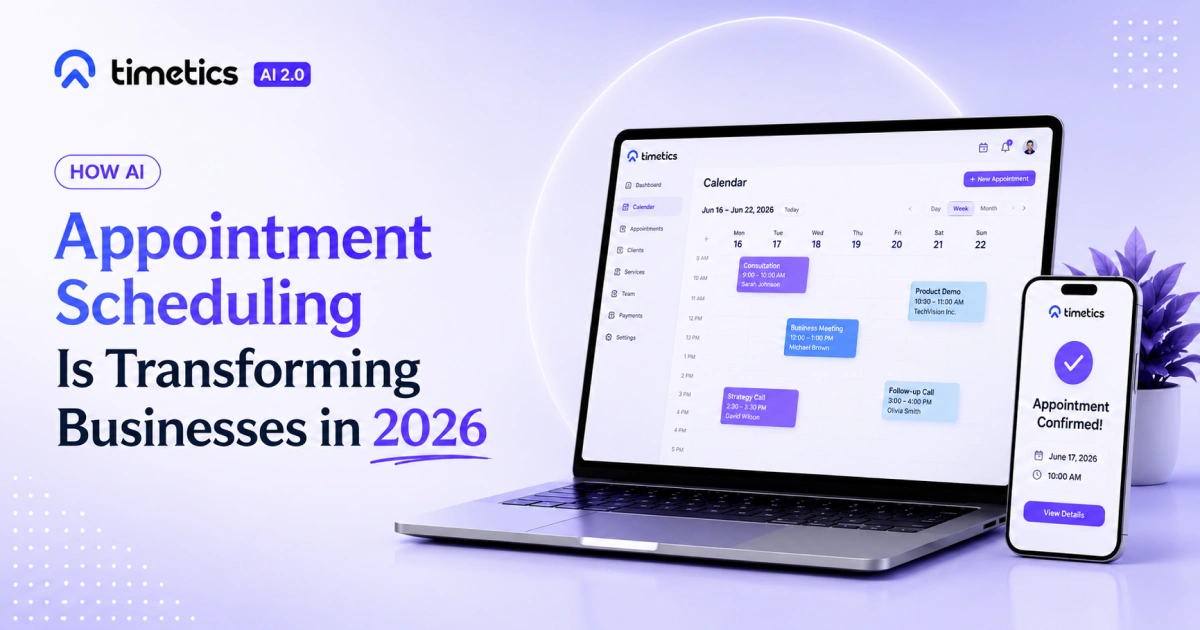
Every missed appointment, double-booked slot, and repeated email about availability can cost your business time and money. As booking volume grows, the manual work also increases, along with the risk of scheduling errors.
AI appointment scheduling can make this process easier. It can understand booking requests, recommend suitable times or staff members, and personalize appointments using available context. It also works alongside automation features that manage confirmations, reminders, calendar updates, and rescheduling.
However, not every automated booking system uses artificial intelligence. Standard booking tools follow predefined rules, while AI scheduling can interpret flexible requests, identify relevant options, and provide recommendations.
This guide explains how AI appointment scheduling works, how it differs from basic booking automation, its main benefits, and how platforms such as Timetics AI use AI within the booking process.
- AI appointment scheduling automates bookings, confirmations, reminders, and availability checks.
- It can detect time zones and suggest suitable appointment slots.
- It reduces manual work, booking errors, double bookings, and no-shows.
- AI tools can use booking history to recommend the same staff member to returning clients.
- Platforms like Timetics AI combine AI scheduling with calendar sync and automated reminders.
- Businesses can save time, manage more bookings, and give clients a smoother booking experience.
What Is AI Appointment Scheduling?
AI appointment scheduling is a booking system that uses artificial intelligence to understand scheduling requests, recommend suitable options, personalize appointments, or automate booking decisions.
It usually works alongside standard functions such as calendar syncing, availability rules, confirmations, reminders, rescheduling, and time-zone conversion.
Unlike basic booking automation, an AI scheduling system may understand natural-language requests, use previous booking information, and adapt its recommendations to the client’s needs.
This is different from a basic online booking calendar. A standard calendar only shows open slots and lets someone pick one.
AI appointment scheduling goes further. It can recommend specific staff members based on past visits, adjust automatically when plans change, and reduce no-shows through smarter, timed reminders.
What Can AI Appointment Scheduling Do?
| Capability | What it does |
|---|---|
| Availability checking | Reviews connected calendars and displays open appointment times |
| Slot recommendations | Suggests suitable times based on availability and booking rules |
| Natural-language booking | Understands booking requests written in normal language |
| Time-zone conversion | Displays appointment times in each participant’s local time |
| Automated reminders | Sends scheduled email, SMS, or in-app notifications |
| Rescheduling support | Helps clients or staff change existing appointments |
| Staff recommendations | Suggests suitable or previously booked team members |
| Booking analytics | Reports on appointment volume, cancellations, services, and staff activity |
Is AI Appointment Scheduling the Same as Booking Automation?
No. Booking automation completes predefined actions, while AI appointment scheduling can interpret requests, use context, and recommend suitable booking options.
For example, an automated system may send every client a reminder 24 hours before an appointment. An AI-enabled system may also understand a request such as “Book my usual stylist next Friday afternoon” and recommend a matching staff member and time.
Why Does Manual Appointment Scheduling Become Inefficient?
Manual appointment scheduling becomes inefficient when every booking requires staff to check calendars, exchange messages, confirm details, send reminders, and update records manually.
As booking volume grows, this process takes more staff time and creates more opportunities for errors.
Manual scheduling can also consume a noticeable part of the workweek. Calendly’s 2023 State of Scheduling report found that 89% of workers spend up to four hours per week scheduling meetings.
An AI-supported scheduling system can reduce this repetitive coordination by sharing live availability, checking calendars, and confirming bookings automatically.
Common problems include:
- Staff must reply to each appointment request.
- Availability checks take time.
- Calendar updates may not appear immediately.
- Two clients may receive the same appointment slot.
- Time-zone differences can cause incorrect meeting times.
- Reminders may be sent late or forgotten.
- Rescheduling requires another round of messages.
- Booking administration increases as the business grows.
How Does AI Appointment Scheduling Compare With Manual Scheduling?
The table below compares manual appointment scheduling with AI-supported scheduling.
| Comparison area | Manual scheduling | AI-supported scheduling |
|---|---|---|
| No-show prevention | Depends on staff sending reminders | Sends reminders automatically based on set rules |
| Personalization | Depends on staff knowledge and memory | May use booking history and client preferences |
| Administrative work | Increases with each new booking | Automates repetitive booking tasks |
| Availability checking | Staff check calendars manually | Checks connected calendars in real time |
| Time-zone handling | Staff calculate time differences | Converts appointment times automatically |
| Scalability | Becomes harder as booking volume grows | Handles more bookings with less manual coordination |
How Does AI Appointment Scheduling Actually Works?
AI appointment scheduling works by combining calendars, availability rules, booking data, automation, and AI-based request handling.
The system checks when an appointment can happen, identifies suitable options, processes the request, creates the booking, and manages follow-up actions.
Calendar integration
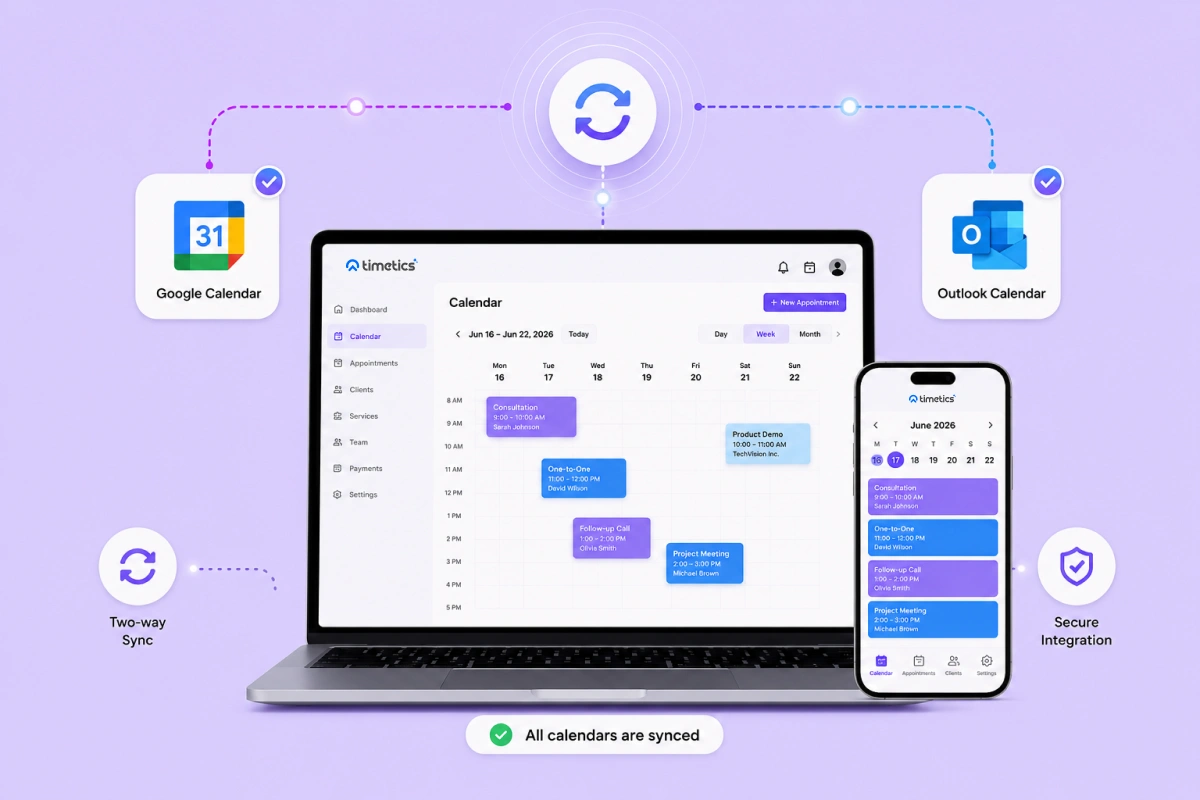
The system connects directly to your calendar, whether that’s Google Calendar, Outlook, or a built-in scheduling tool. This is the foundation of any reliable online appointment booking system.
Availability scanning
Instead of requiring a staff member to check open slots, the system scans connected calendars in real time and shows only genuinely available times.
Smart recommendations
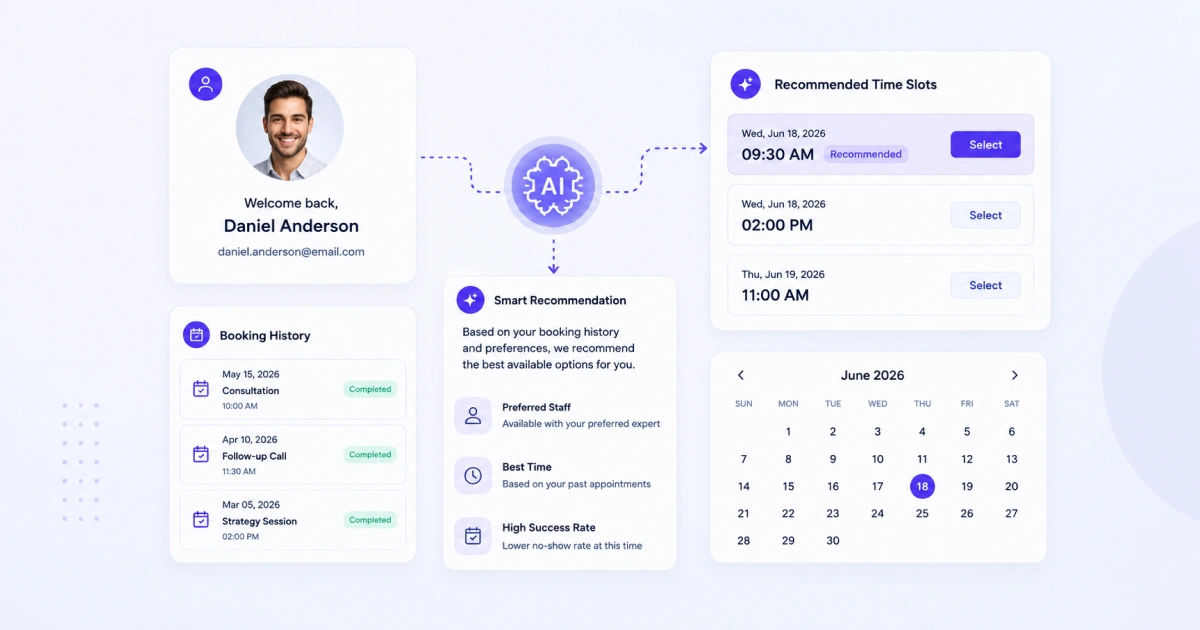
Based on booking history, the system can suggest the same staff member a returning client used before, creating a more personalized experience.
Automatic confirmations
Once a slot is booked, confirmation messages go out instantly, with no manual step required.
Reminder automation
Before the appointment, automated reminders are sent by email or SMS, reducing the chances of missed booking.
Timezone adjustments
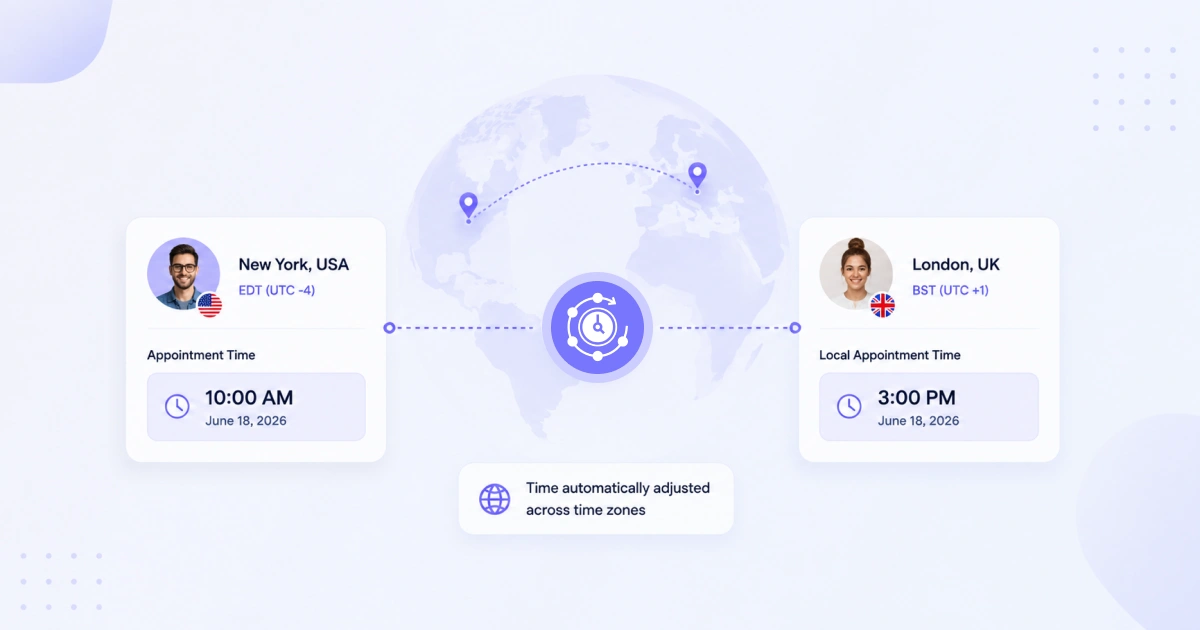
If the client is in a different region, the system automatically converts the appointment time, removing a common source of scheduling errors.
What Are the Benefits of AI Appointment Scheduling?
The main benefits of AI appointment scheduling are less administrative work, faster booking, fewer scheduling conflicts, more consistent reminders, easier time-zone management, and better support for growing appointment volume.
Advanced systems may also personalize bookings and recommend suitable staff members or appointment times. Here are the main benefits for businesses:
Fewer no-shows
Automated reminders keep appointments top of mind for clients. This is one of the clearest ways businesses reduce no-shows with AI, without adding extra staff work.
Less manual admin
Staff no longer need to confirm every booking by hand. This can reduce the time staff spend checking calendars, confirming appointments, and responding to routine scheduling messages.
Better client experience
Booking-history recommendations can make it easier for returning clients to choose a familiar staff member or service.
Smarter decision-making
Built-in analytics show which time slots, services, or staff members perform best, helping businesses plan more effectively.
Fewer scheduling errors
Automatic timezone detection and real-time calendar sync remove the small mistakes that cause missed or double-booked appointments.
Improved scalability
As bookings increase, the system can process more routine booking tasks without increasing manual coordination at the same rate.
How Does Timetics AI Use AI for Appointment Scheduling?
Timetics AI uses a conversational AI Agent to help users manage booking-related requests through natural-language instructions.
The AI Agent can help users find available appointment times, identify suitable options, reschedule bookings, and handle common scheduling requests. These capabilities work alongside standard scheduling features such as calendar connections, availability rules, reminders, and booking records.
This distinction matters because calendar syncing and automated reminders are standard automation features. The AI component focuses on understanding requests and helping users complete booking actions through conversation.
What AI Features Does Timetics AI Provide?
| Feature | What it does |
|---|---|
| Conversational booking | Understands appointment requests written in natural language |
| Slot discovery | Identifies suitable available appointment times |
| Rescheduling assistance | Helps users find replacement times |
| Staff recommendations | Suggests a previously booked or suitable team member |
| Booking history use | Supports personalized suggestions using earlier appointments |
What Is an Example of AI Staff Recommendation?
For businesses using a salon booking system, AI can recommend a returning client’s usual stylist automatically.
Clients don’t have to remember who they booked last time, and businesses don’t lose repeat clients to a mismatched appointment.
So, what makes Timetics AI practical right now is how this AI feature sits on top of automation that is already in place, like calendar sync and automated reminders covered earlier. The AI doesn’t replace that groundwork, it simply builds on it.
You can also review Timetics AI pricing to compare the available plans and scheduling features.
Which Industries Use AI Appointment Scheduling?
AI appointment scheduling can support any business that manages recurring appointments, multiple staff members, time-zone differences, repeat clients, or frequent booking changes.
Education and Coaching
Tutors, coaches, and course creators often deal with recurring sessions and returning students. AI appointment scheduling may use previous booking information to recommend suitable session times or instructors. Automated reminders can also help students keep track of recurring sessions.
Recruiting and HR
Recruiters schedule dozens of interviews across different time zones every week. Time-zone conversion and shared availability checks reduce the manual coordination required to schedule interviews.
Customer Support and Consulting
Consultants and support teams often work with repeat clients. When supported, booking-history recommendations can help clients schedule with the same consultant or agent again.
Sales Teams
Sales representatives regularly schedule demos and calls with prospects across different regions. Calendly reports that arranging a single meeting can take an average of 7.3 emails.
AI scheduling shares live availability and converts time zones automatically, allowing prospects to book directly into suitable open slots. This reduces the time sales representatives spend exchanging messages about availability.
Healthcare and Medical Services
Clinics, therapists, dentists, and other healthcare providers manage consultations, follow-up visits, recurring treatments, and frequent appointment changes.
AI-supported scheduling can help patients find suitable appointment times, receive reminders, and reschedule when necessary. It can also reduce the manual work involved in checking provider availability and managing cancellations.
Healthcare businesses should carefully review privacy, security, consent, and data-storage policies before using any scheduling platform for patient information.
Salons and Beauty Businesses
Salons, spas, barbershops, and beauty professionals often manage repeat clients, multiple staff members, different service durations, and frequent rescheduling requests.
AI appointment scheduling may use previous booking information to recommend a client’s usual stylist or service provider. It can also show available times, prevent overlapping appointments, send reminders, and allow clients to change bookings without calling the business.
What Is the Difference Between AI Scheduling and Traditional Booking Forms?
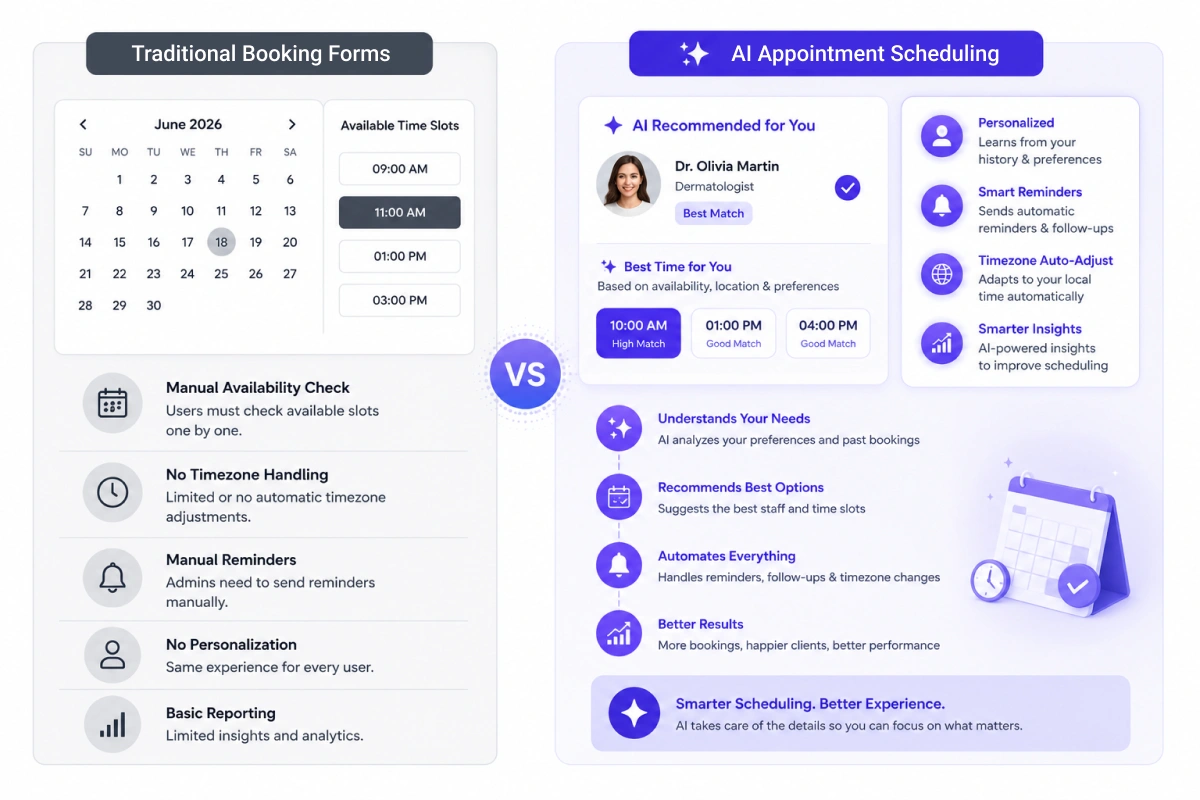
A traditional booking form collects appointment details and applies predefined scheduling rules. It may also support calendar syncing, reminders, payments, cancellations, and rescheduling.
An AI scheduling system adds capabilities such as understanding natural-language requests, recommending suitable options, and personalizing bookings based on available context.
The main difference is not whether the tool connects to a calendar. It is whether the system can interpret flexible requests and adapt its response instead of only following a fixed booking path.
Some AI systems may also use previous bookings to improve recommendations, but this capability varies by platform.
When comparing tools, ask: Does the system only process predefined booking rules, or can it understand requests and provide relevant recommendations?
How Much Does AI Appointment Scheduling Cost?
The cost of AI appointment scheduling depends on the number of users, staff members, calendars, locations, and advanced features included in the plan.
Some platforms offer free plans with basic booking pages and calendar connections. Paid plans may charge per user, per staff member, per location, or through a fixed monthly subscription.
Features such as SMS reminders, payments, team scheduling, advanced analytics, CRM connections, and AI assistants may require a higher-priced plan.
Before choosing a platform, businesses should compare:
- Monthly or annual subscription cost
- Limits on bookings, staff, and calendars
- SMS or communication charges
- Payment processing fees
- AI features included in each plan
- Setup, migration, or support costs
- Cancellation and refund terms
The cheapest platform is not always the best option. The tool should reduce enough manual work or missed bookings to justify its total cost.
What Should Businesses Look for in an AI Scheduling Tool?
Businesses should check both the core scheduling features and the specific AI capabilities before choosing a platform.
Important features include:
- Calendar integrations
- Real-time availability
- Staff and service management
- Time-zone support
- Confirmation and reminder options
- Cancellation and rescheduling controls
- Payment integrations
- Recurring appointments
- Group booking support
- Booking forms and custom fields
- Reporting and analytics
- Data privacy controls
- Natural-language booking
- Staff or service recommendations
- AI-based rescheduling
- CRM and communication integrations
Businesses should also confirm:
- Which features use real AI
- Which features are standard automation
- Whether AI features require a paid plan
- Whether customer data is used for AI training
- Which communication channels are supported
- Whether the platform provides human support for booking exceptions
What Is the Future of AI Appointment Scheduling?
Future AI appointment scheduling tools may provide more conversational booking, deeper personalization, predictive appointment risk scoring, and stronger connections with CRM and communication systems.
These capabilities are still developing and are not standard across all scheduling platforms.
A few trends are already shaping where this is headed:
Conversational booking
Clients may book appointments by describing the service, preferred time, staff member, and location in normal language.
Predictive no-show risk
Some systems may identify appointments that need an additional reminder or confirmation.
Service recommendations
AI may suggest services based on previous appointments or stated client needs.
Workload balancing
Scheduling systems may distribute appointments across team members based on availability, workload, skills, and capacity.
Automated exception handling
AI may help manage cancellations, late arrivals, staff absences, and scheduling conflicts.
CRM integration
Booking data may provide more context for sales, support, and customer service teams.
Cross-channel scheduling
Clients may book through websites, chat tools, email, messaging apps, or voice interfaces.
Businesses should evaluate these developments based on their current scheduling needs, available integrations, data requirements, and the practical value of each AI capability.
Frequently Asked Questions About AI Appointment Scheduling
Is AI scheduling software secure?
AI scheduling software can be secure when the provider uses encrypted connections, secure calendar authentication, access controls, regular software updates, and a clear privacy policy. Businesses should also check how the platform stores appointment data, manages third-party access, and handles data deletion requests.
Do I need coding skills to set up AI appointment scheduling?
Most hosted AI scheduling platforms do not require coding for standard setup.
Users can usually connect calendars, define availability, create services, assign staff, and configure reminders through a dashboard. Custom integrations or advanced workflows may require technical support.
Will AI replace human staff in appointment booking?
AI scheduling mainly handles repetitive coordination tasks. It does not replace the people who deliver services or manage client relationships.
Human staff may still need to manage unusual booking requests, complaints, scheduling exceptions, sensitive client needs, manual approvals, refunds, and service-related questions.
Is AI scheduling software suitable for small businesses?
AI scheduling software can suit small businesses that manage frequent bookings, multiple staff members, repeat clients, or appointments across different time zones.
A business with only a few appointments each month may only need a basic booking tool. The value depends on booking volume, staff workload, and the complexity of the scheduling process.
Is AI Appointment Scheduling Worth Using?
AI appointment scheduling is worth considering when manual booking takes significant staff time or when a business manages frequent appointments, multiple team members, repeat clients, or different time zones.
The main value comes from reducing repetitive coordination and making it easier for clients to find, book, and change appointments. However, businesses should check which capabilities use artificial intelligence and which are standard automation.
A suitable platform should solve a clear scheduling problem, fit the business’s existing calendar and communication tools, and provide appropriate controls for customer data.
Timetics AI shows how conversational booking and staff recommendations can sit alongside standard scheduling features. Whether these capabilities are useful depends on the business’s booking process and customer needs.