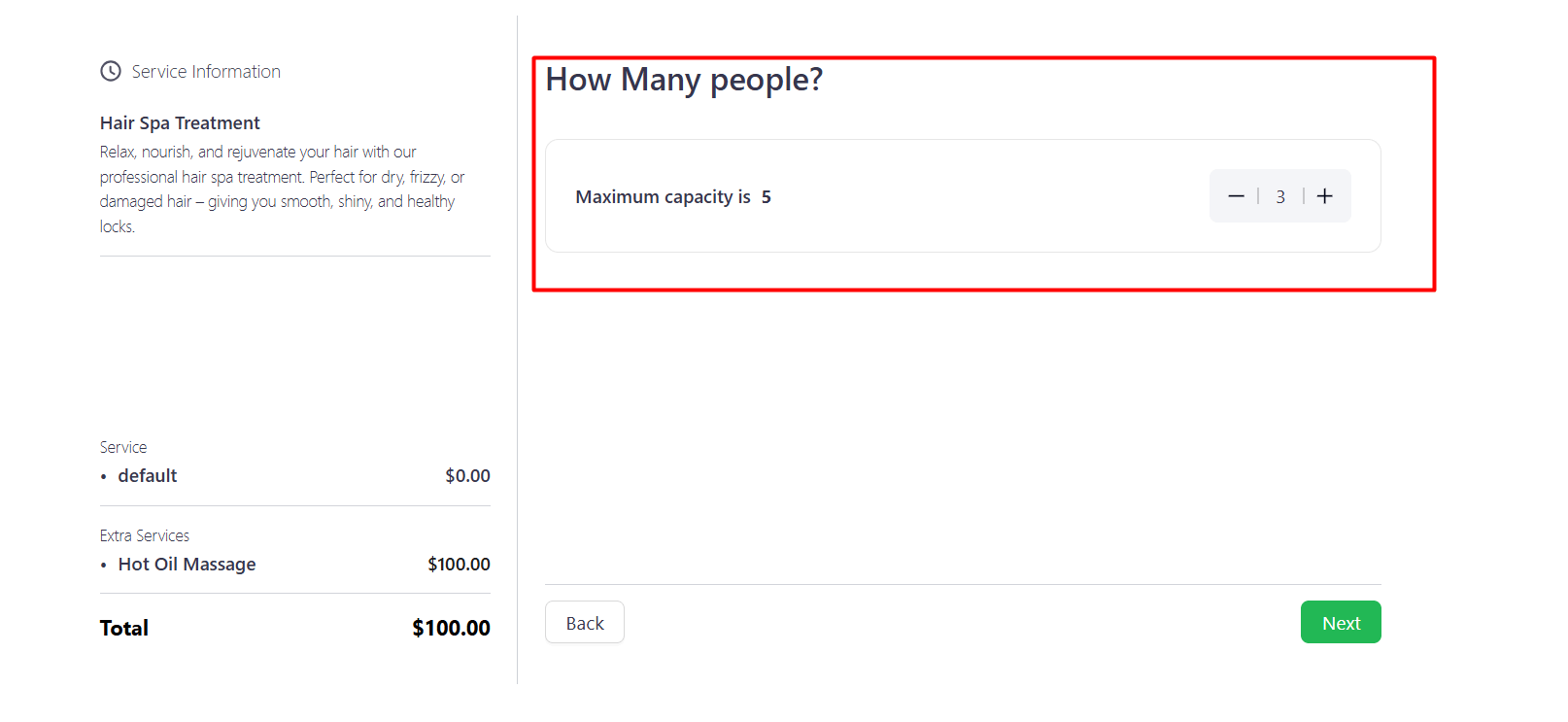
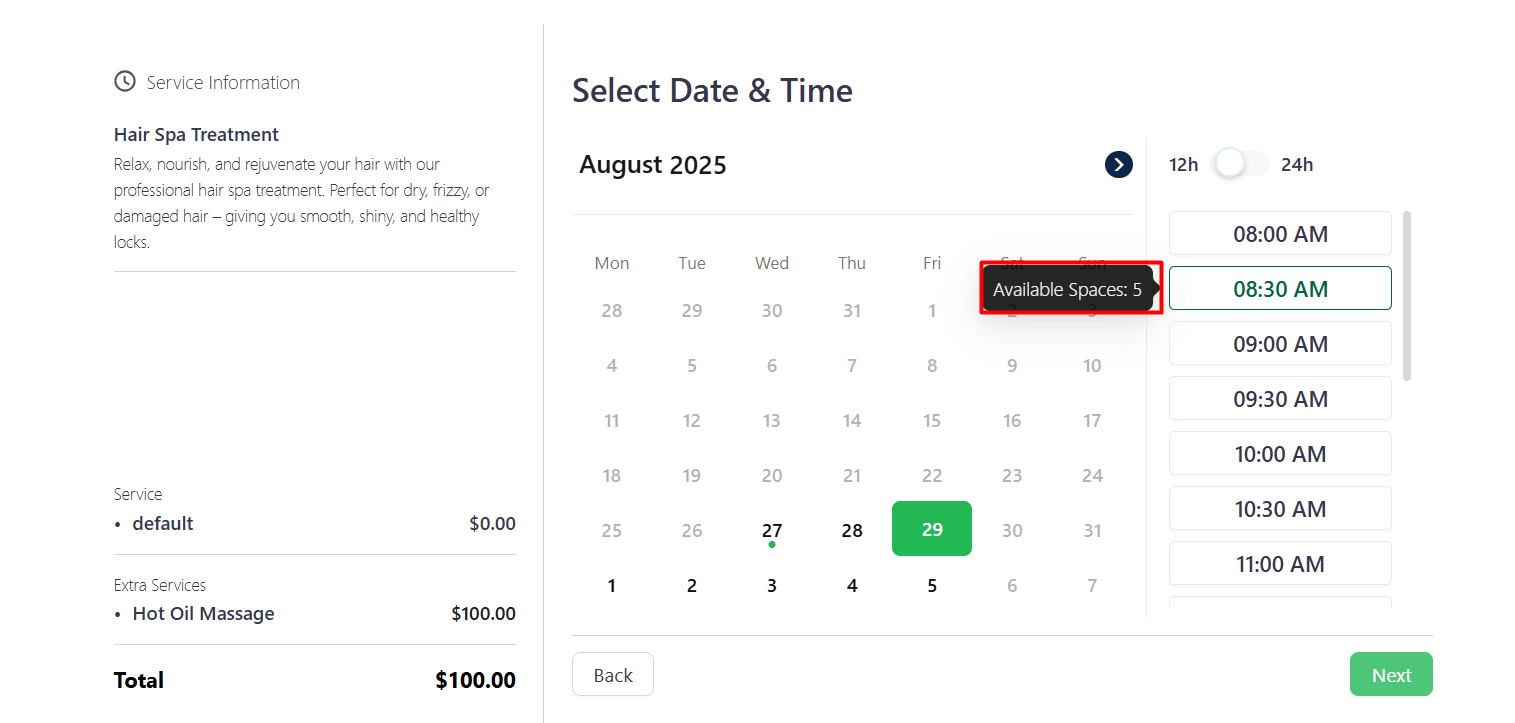
Group Booking allows clients to book multiple services or seats in a single reservation. It simplifies the booking process, saves time, and makes managing multiple attendees easier and more efficient.
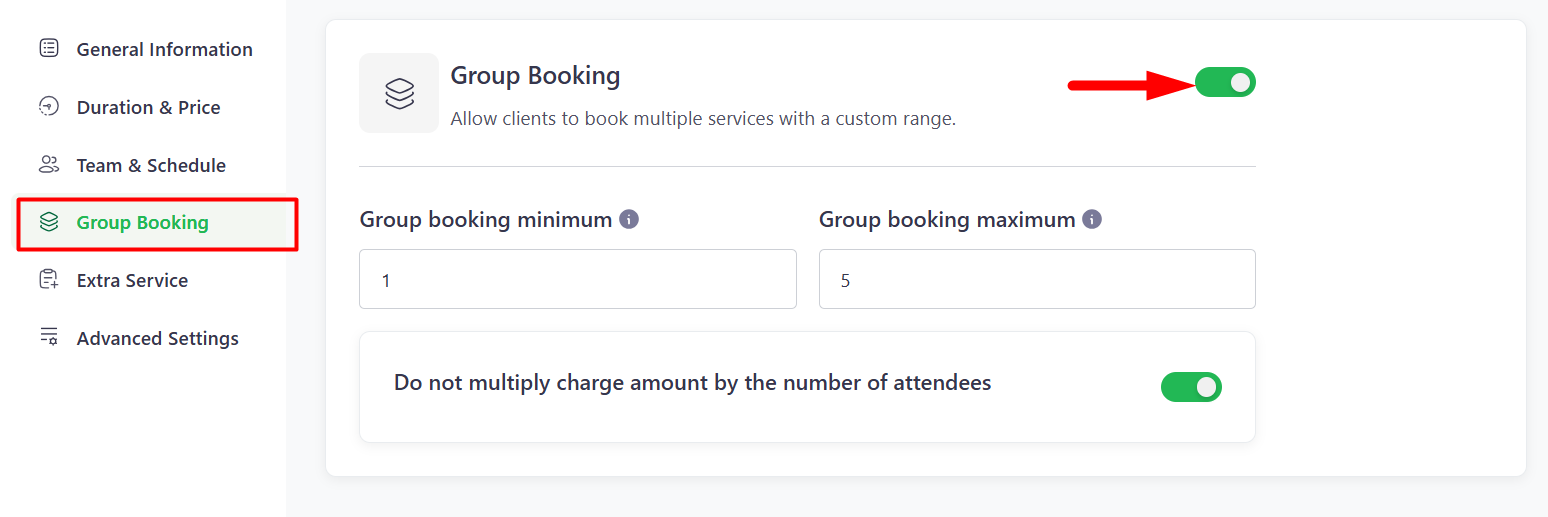
Enable Group Booking – Toggle to activate group booking.
- Group Booking Minimum – Minimum number of attendees required for a group booking.
- Group Booking Maximum – Maximum number of attendees allowed in a group.
Do Not Multiply Charge Amount by Number of Attendees –If this option is enabled, the charge will remain fixed for the booking, regardless of the number of attendees. If disabled, the charge will be calculated based on the number of attendees.
Frontend view:
Please go to the service where you enabled group booking. You will find the option there.