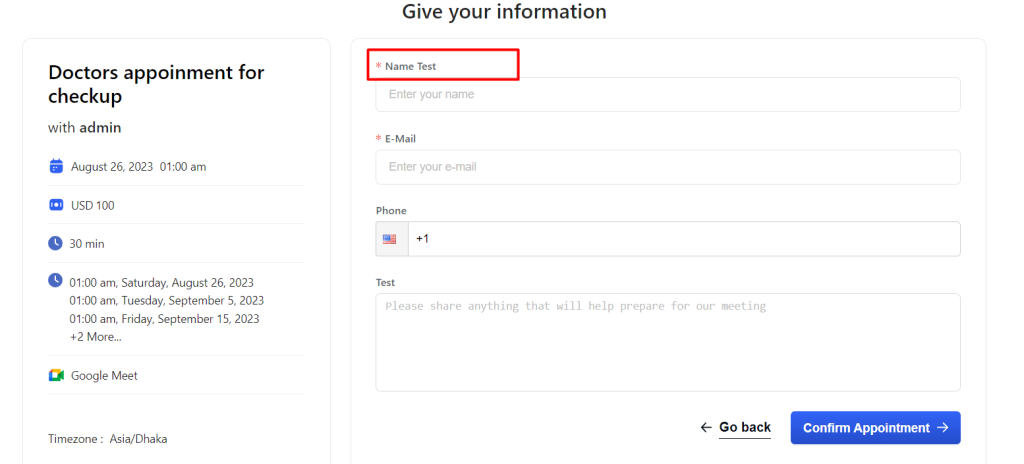
The Loco Translate plugin is supported for Booktics translation. It allows you to translate Booktics text directly from your WordPress dashboard without modifying any code.
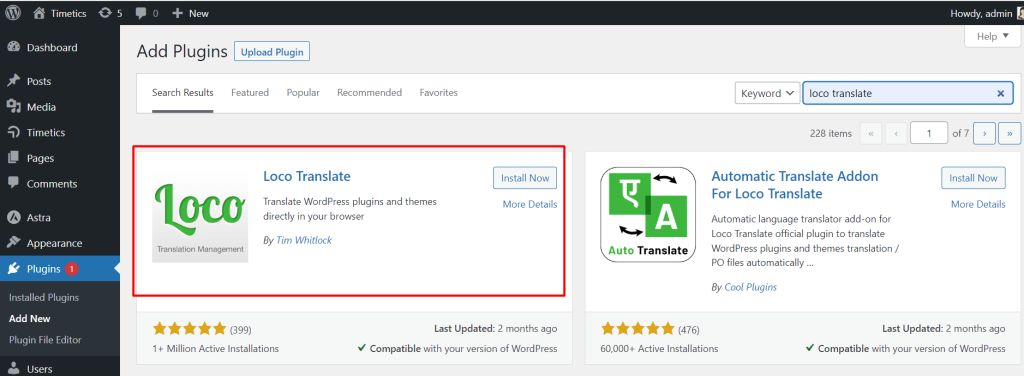
Step-1: First, install and activate the Loco Translate plugin.
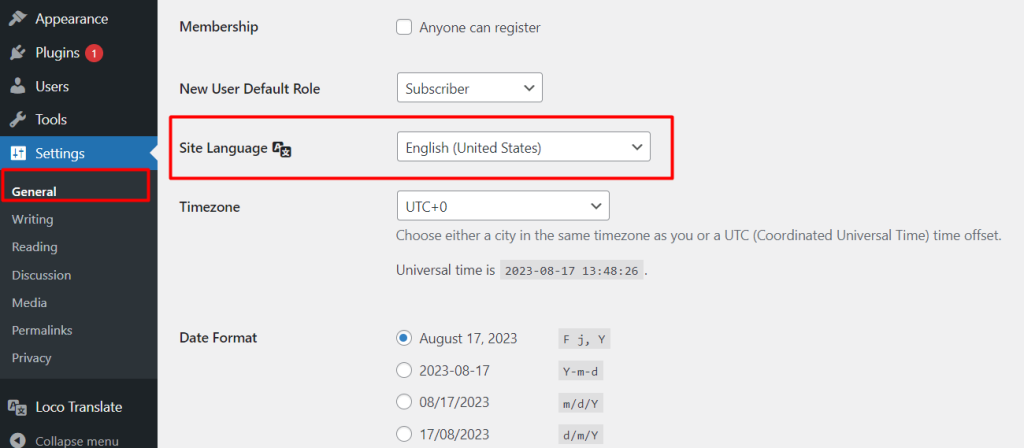
Step-2: Make sure you have selected your desired site language from Settings → General → Site Language.
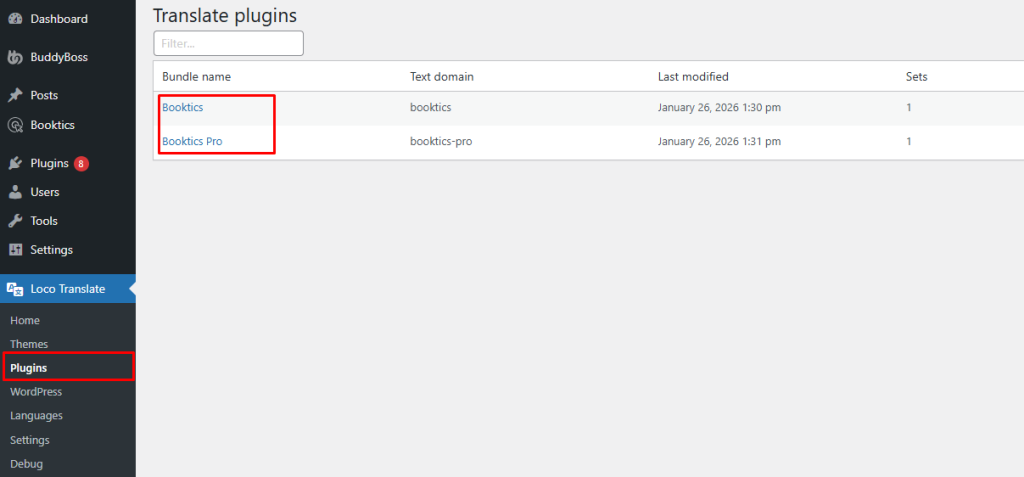
Step-3: Go to Loco Translate → Plugins from your WordPress dashboard and select Booktics.
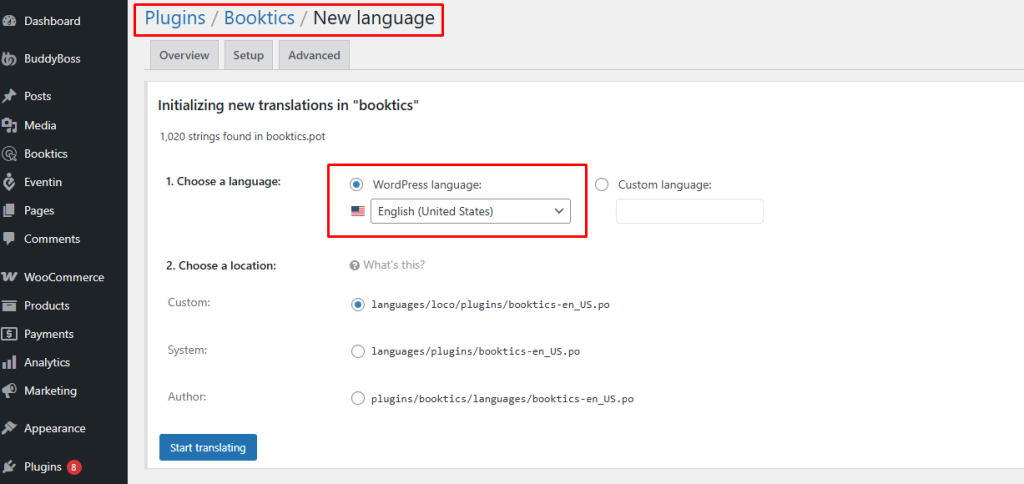
Step-4: Choose the language you want to translate.
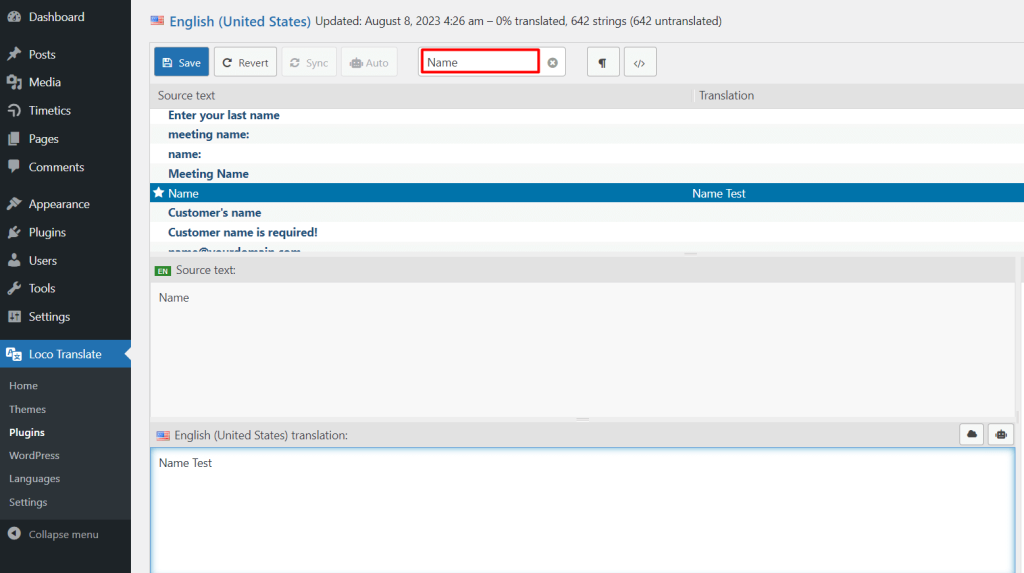
Step-5: Then search for the text that needs to be translated and insert the translated text.
Translated text on the frontend view